
Project Creation & Conversion Flow
1. Creating First-Year Project
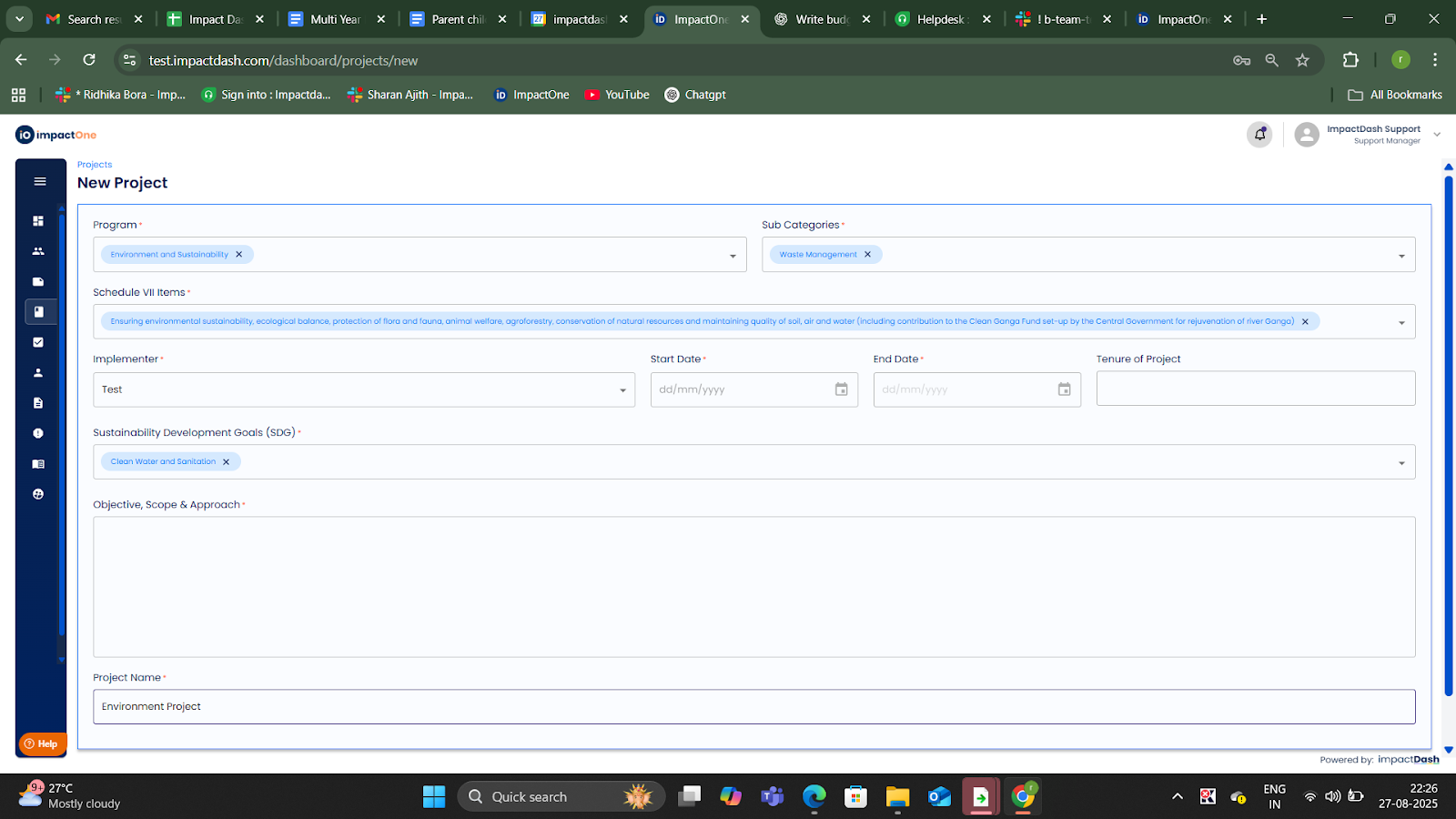
- From top-right Click on the “Create Project” button and create a project for → single-year.
- The user fills out project details as shown below
2.Converting to Project Family
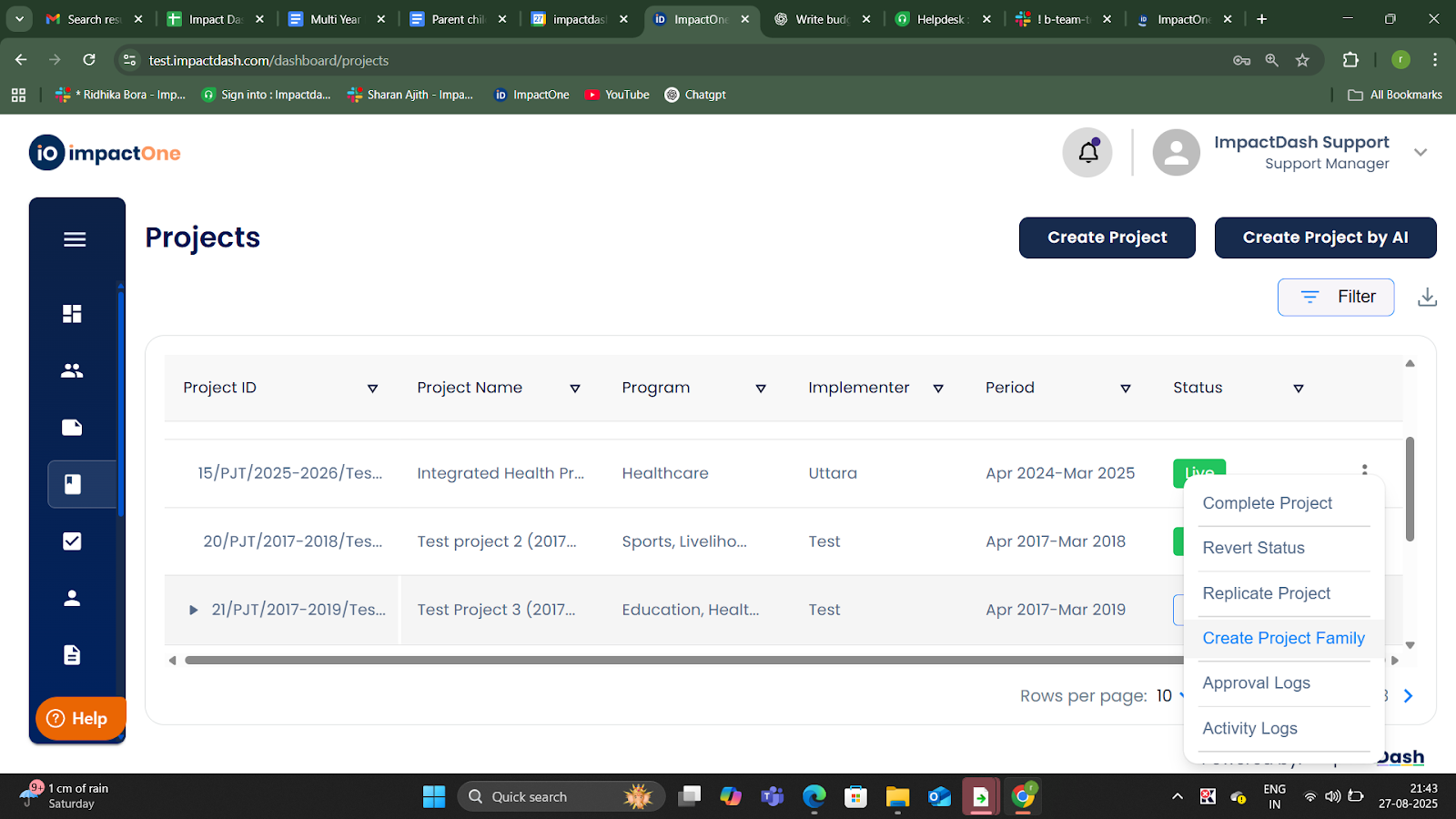
If project not already part of a family:
Click on the Kebab menu (three dots next to the project status) → and Click on the “Create Project Family” button.
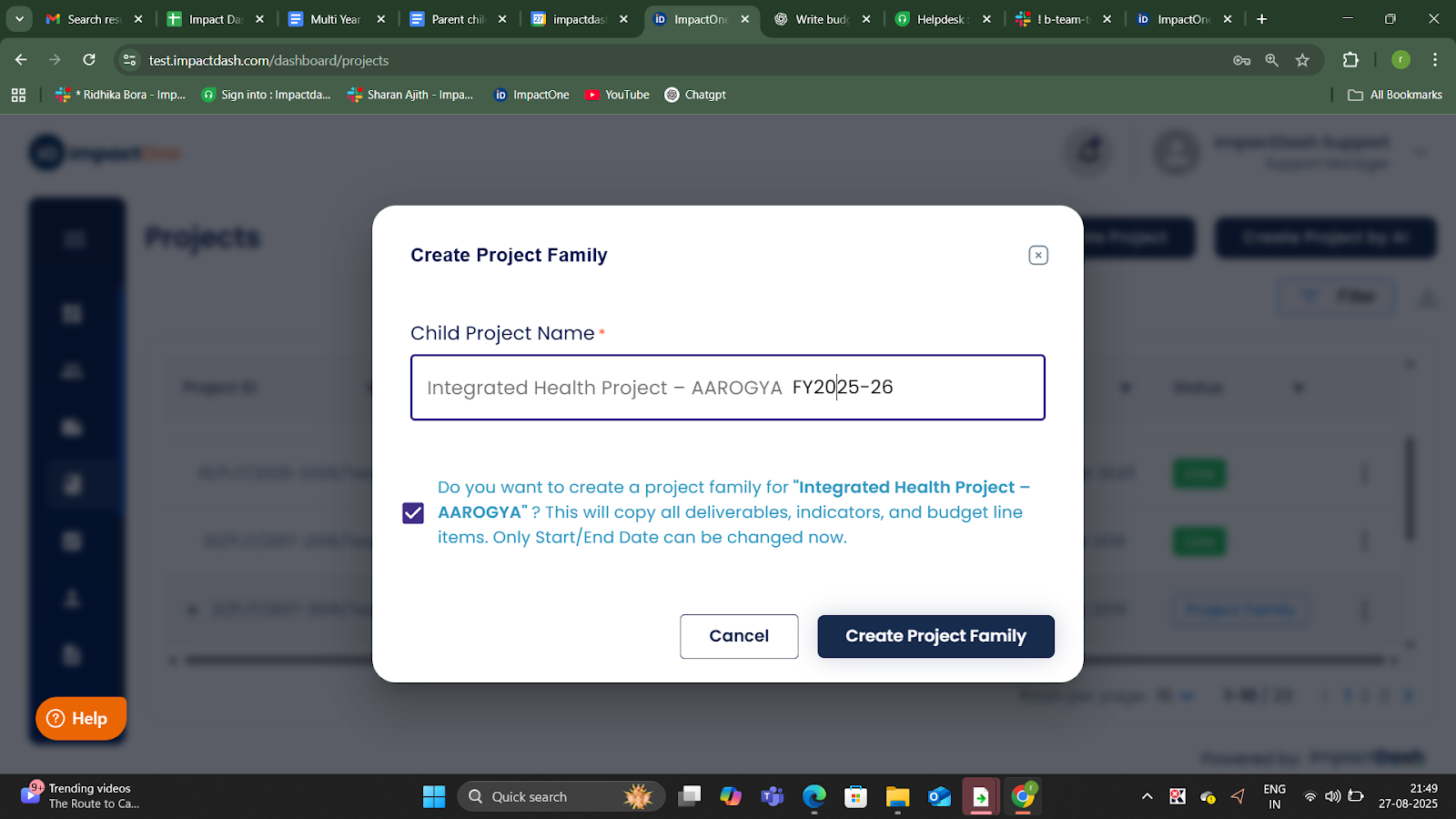
Fill the pop up page details as shown below, by entering the Child project name and then confirming to ‘create project family’.
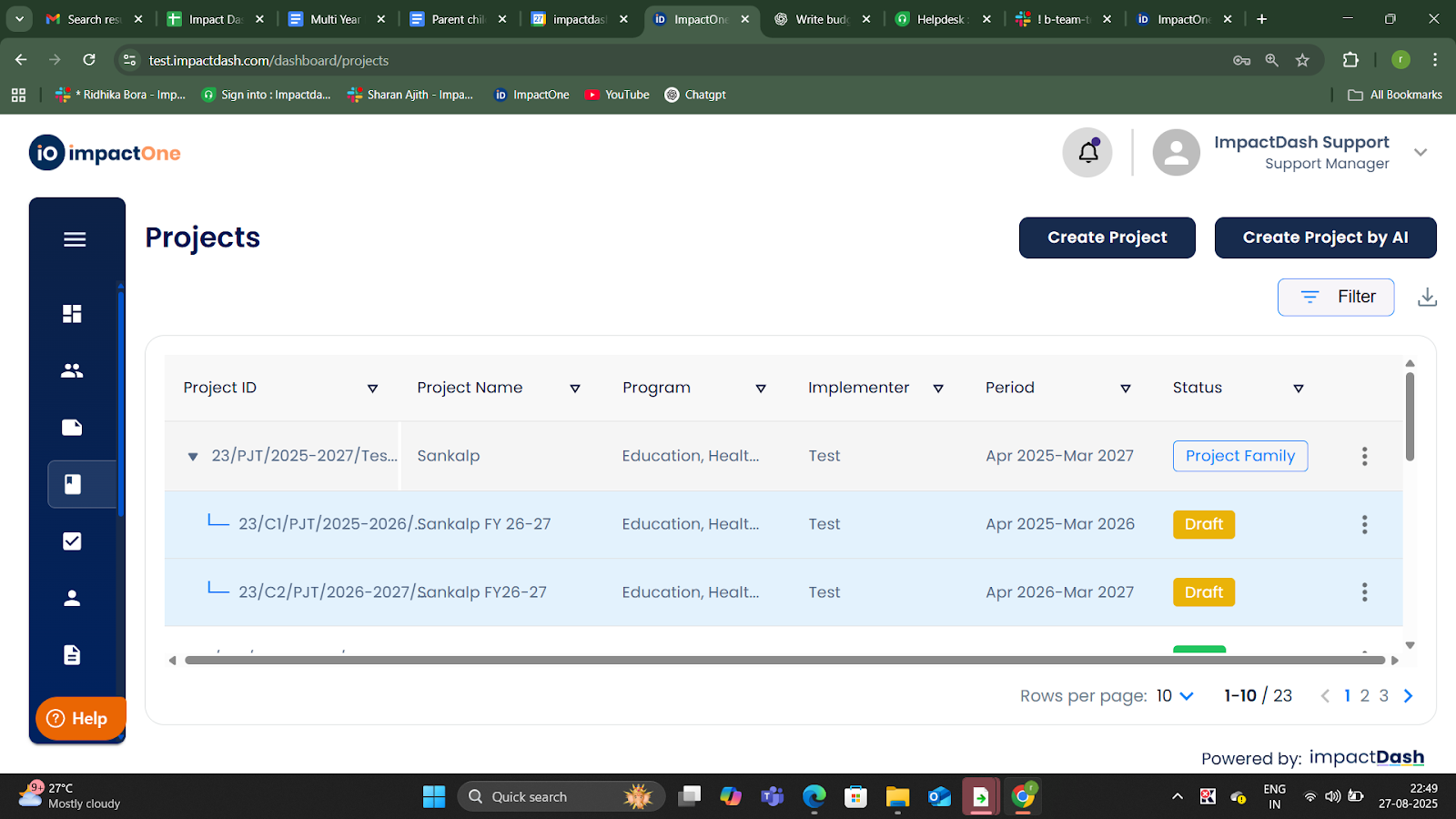
Parent Project
Child Project Year 1 (copy of original project)
3. Creating Additional Years (Child Projects)
Click on the kebab menu (three dots next to the project status) on the latest child project and then click on → “Create Child Project” option.
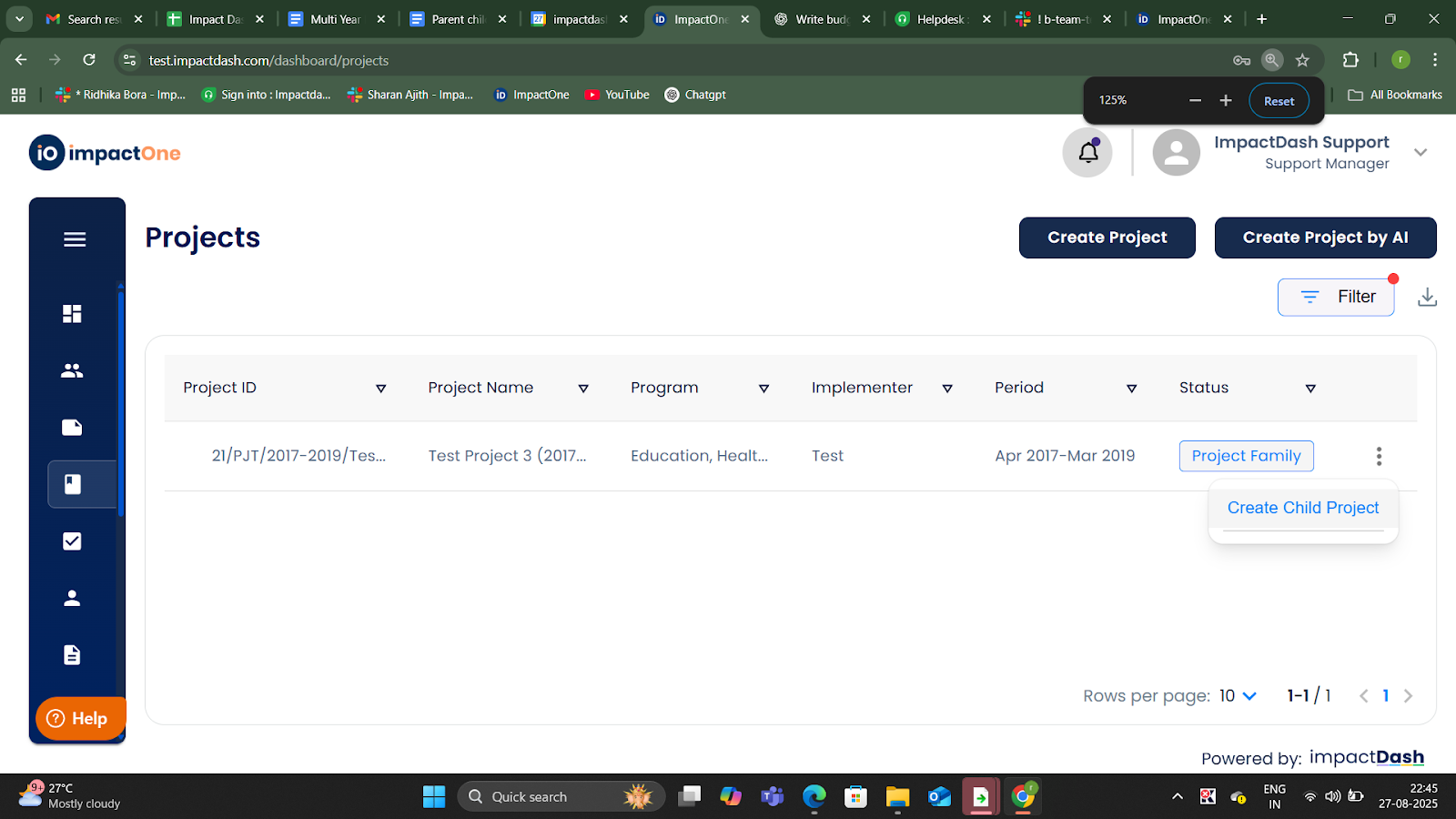
Fill the details of the child project for the additional years you want to create.
4. Under a Project Family (parent project), child projects are created for multiple years, that is single year projects are created under the project family.
Copies all data except targets
Allows:
Editing of start/end dates
Manual update of targets
Optional team changes