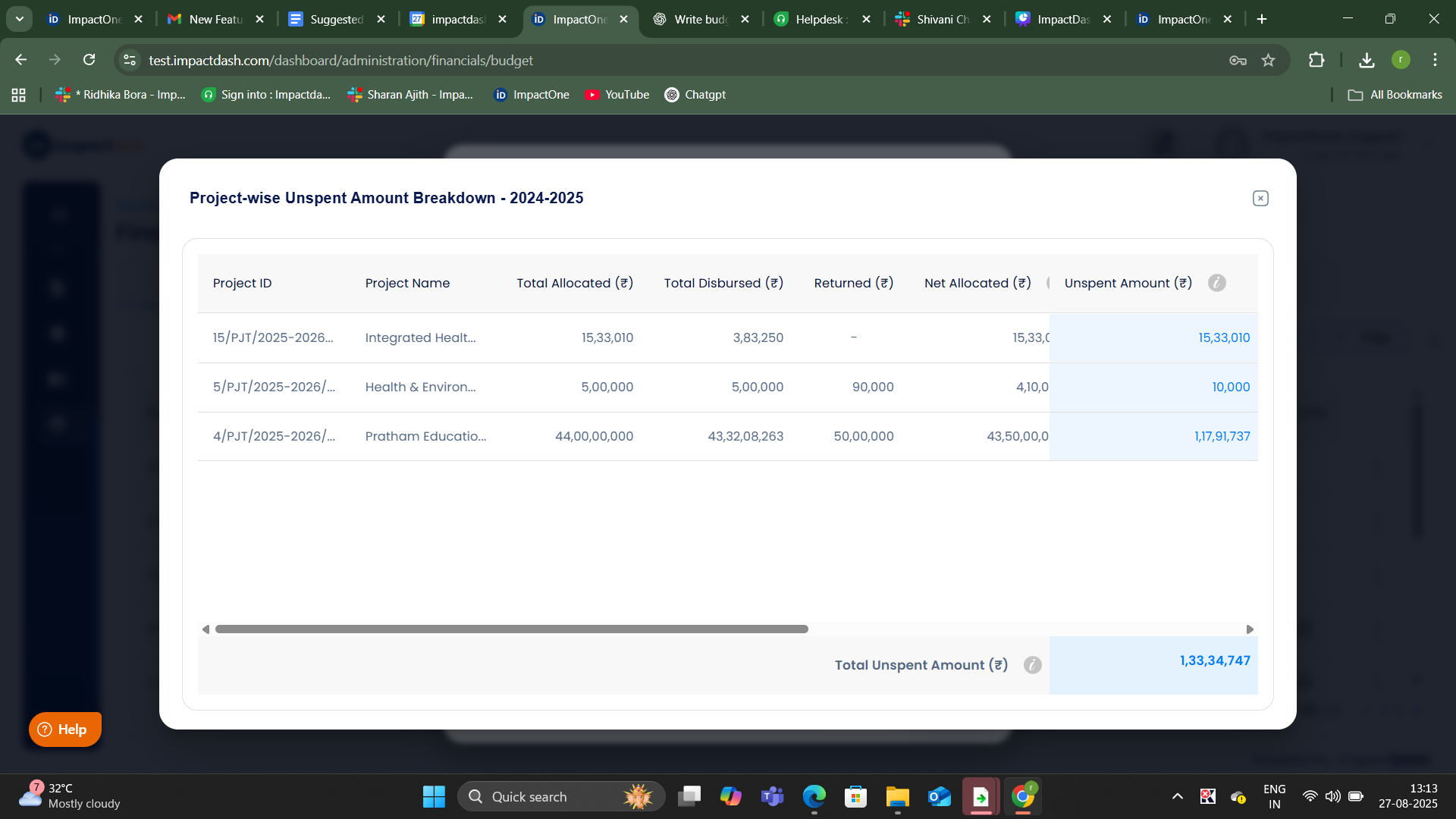
Steps to Add Budget for Unspent Amount
Navigate to the menu: Navigate to the ‘Administration’ tab from the menu and select ‘Financials’ from the dropdown.
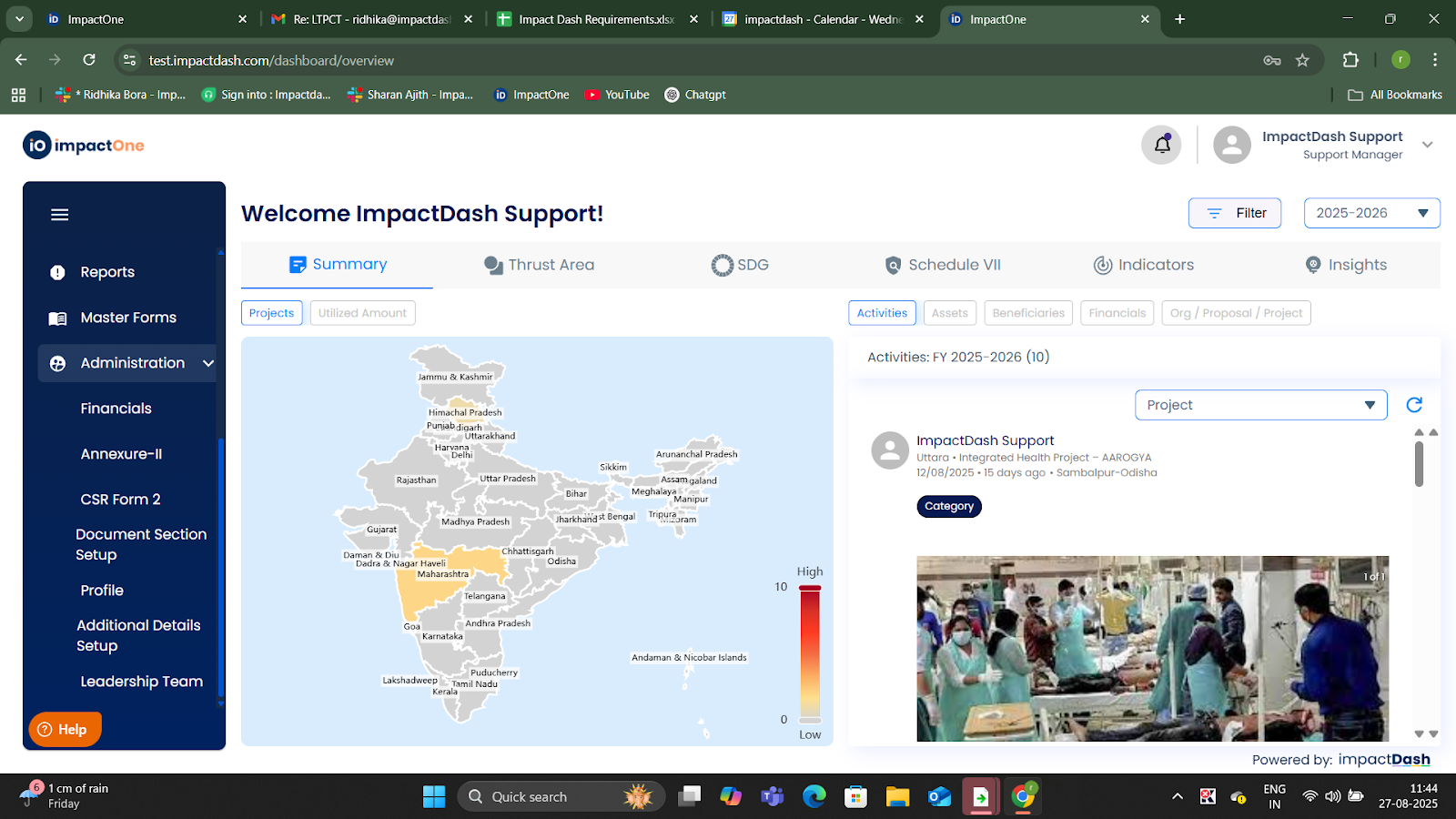
Add Budget: Click on ‘Add Budget’.A pop-up window will appear prompting you to fill in the budget details.In the pop-up, choose the ‘Unspent Amount’ as source category.
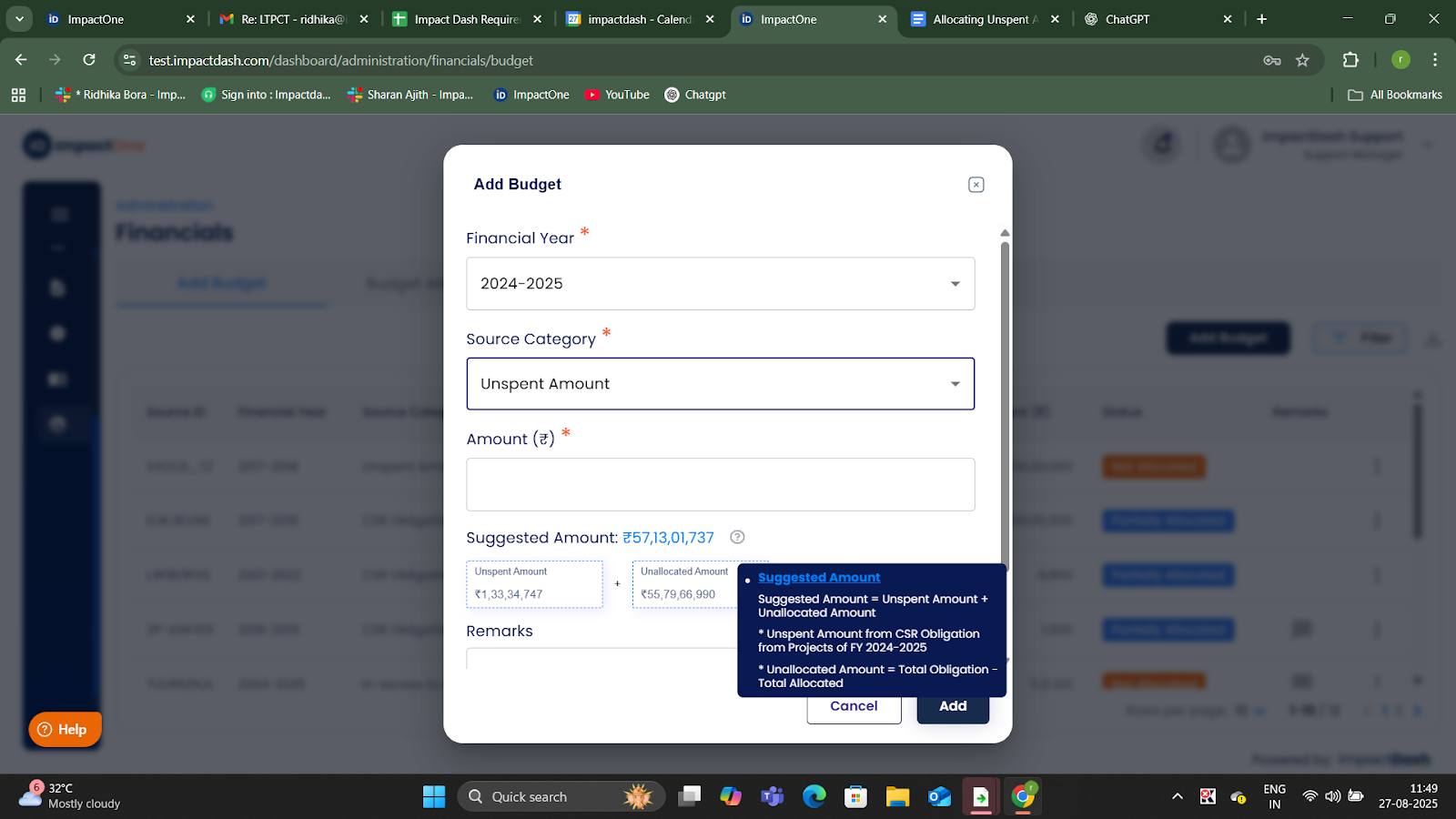
View Suggested Amount: The system will display the suggested amount for your reference when you click on the ‘?” icon
Click on the ‘Unspent Amount’ box
You can review the unspent amount details along with the list of projects from which these amounts are calculated.
4. Save: Click on the “Add” button once you have entered the details.