
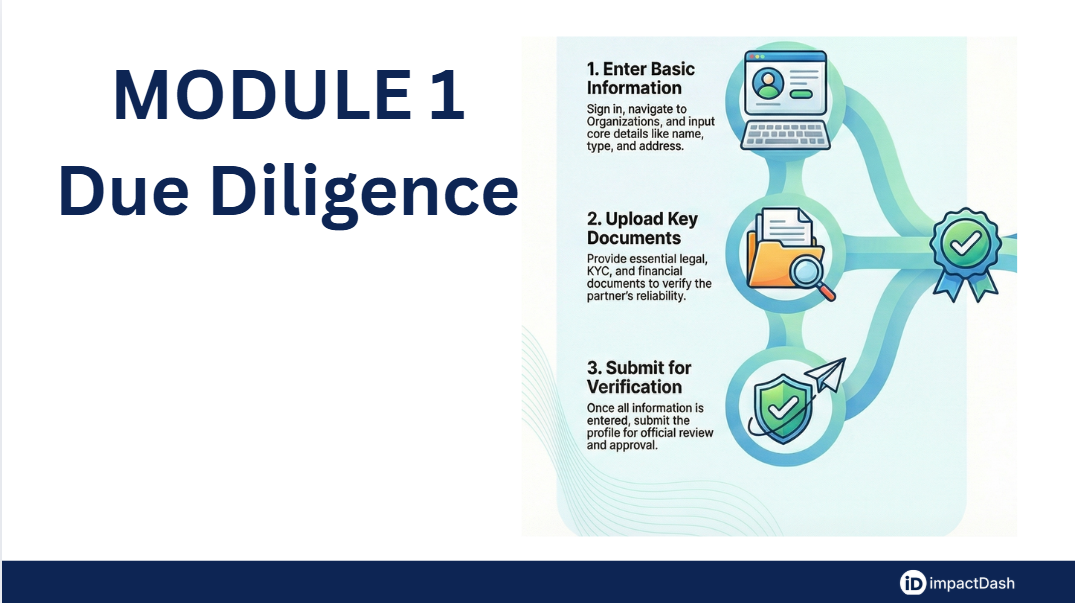
Technical Walkthrough: Organization Onboarding and Due Diligence Workflow
Introduction Welcome to the technical walkthrough for organization onboarding on the impactOne MIS platform. Due diligence is a critical process for evaluating the capabilities and reliability of implementing partners to ensure effective project execution and risk mitigation. This guide outlines the five-phase workflow required to verify a partner's capacity, resources, and integrity.
Phase 1: Basic Organizational Information (Maker)
The onboarding process begins with the Partner (Maker) providing the legal and descriptive foundation of their organization.
Accessing the Portal: Sign in to your ImpactOne account and navigate to the “Organisations” tab on the left sidebar. Click the “Edit” button in the top right corner to begin data entry.
Organizational Profile: Provide a comprehensive Organisation Description and select the Organisation Type.
Non-Profit Specifics: If "Non-Profit" is selected, the Maker must enter the CSR registration number, upload the relevant CSR document, and provide the registration date.
Legal Identity: Select the Legal Entity Type (e.g., Trust, Society, or Section 8 Company) and upload the Certificate of Incorporation or Registration Certificate. You must also specify the date of incorporation and how long the organization has been in existence.
Phase 2: Geographical Presence and Sectors (Maker)
In this phase, the Maker defines where they work and the fields they specialize in.
Operational Sectors: Select the specific Sectors in which your organization operates from the provided list.
Address Management: Enter the Registered Address, including State, District, and Pincode, and upload Proof of Address.
Correspondence and Branches: If the correspondence address is the same as the permanent one, simply tick the "Same As Permanent" box. You can add multiple Branch Office Addresses by clicking the “+” button.
Phase 3: Legal and Governance Documentation (Maker)
This phase focuses on the governance structure and legal framework of the organization.
Governing Documents: Upload essential legal documents, such as the Memorandum & Articles of Association, Trust Deed, or Bye-Laws.
Board Composition: Upload a document listing the current members of the General Body, Governing Body, or Board. This ensures transparency regarding the leadership of the implementing agency.
Phase 4: Financials, KYC, and Compliance (Maker)
The Maker must provide detailed financial history and tax compliance documentation to prove fiscal health.
KYC and Bank Details: Provide the organization's bank details and upload a scanned copy of a cancelled cheque. You must also enter the PAN (Permanent Account Number) and upload the corresponding PAN card.
Tax Exemptions: Enter details and upload certificates for 35 AC, 12A, and 80G. For 12A and 80G, the Maker must specify the registration date as well as the start and end dates to verify the certificate's validity.
Historical Reporting: You are required to upload Audited Financial Statements and Annual Reports for the past three financial years. Use the “+” button to add entries for each specific year.
Additional Documents: Any other relevant implementer documents can be named and uploaded in the general Documents repository.
Phase 5: Submission and Official Requirements (CSR Team Only)
The final stage transitions the process from the Maker to the Checker (CSR Team).
Maker’s Final Step: Before moving to official use, the Maker must complete any customized additional questions in the "Other Details" section. Once finished, click “Submit” in the Submit Details section; this locks all fields, and no further changes can be made by the Maker.
Official Verification: The Official Requirements section is restricted to the Admin or CSR person conducting the due diligence. They will review all submitted documentation and fill in internal details—such as vendor codes and payment modes—before officially verifying the implementer on the portal.