Project Locations
User: Partner (maker)
The project location refers to the physical or geographical area where the project activities will primarily take place or where its outputs will be implemented. It can vary depending on the nature of the project.
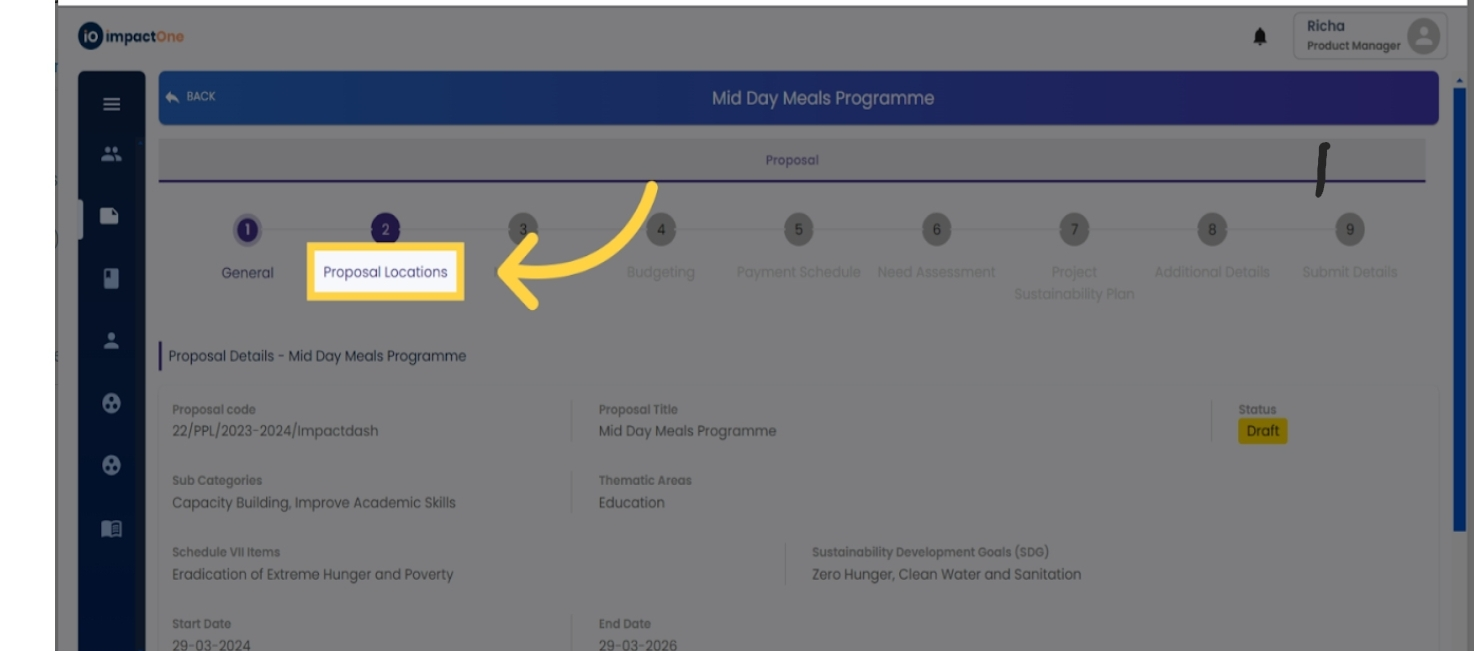
1.Navigate to Project Locations: Navigate to Project Locations.
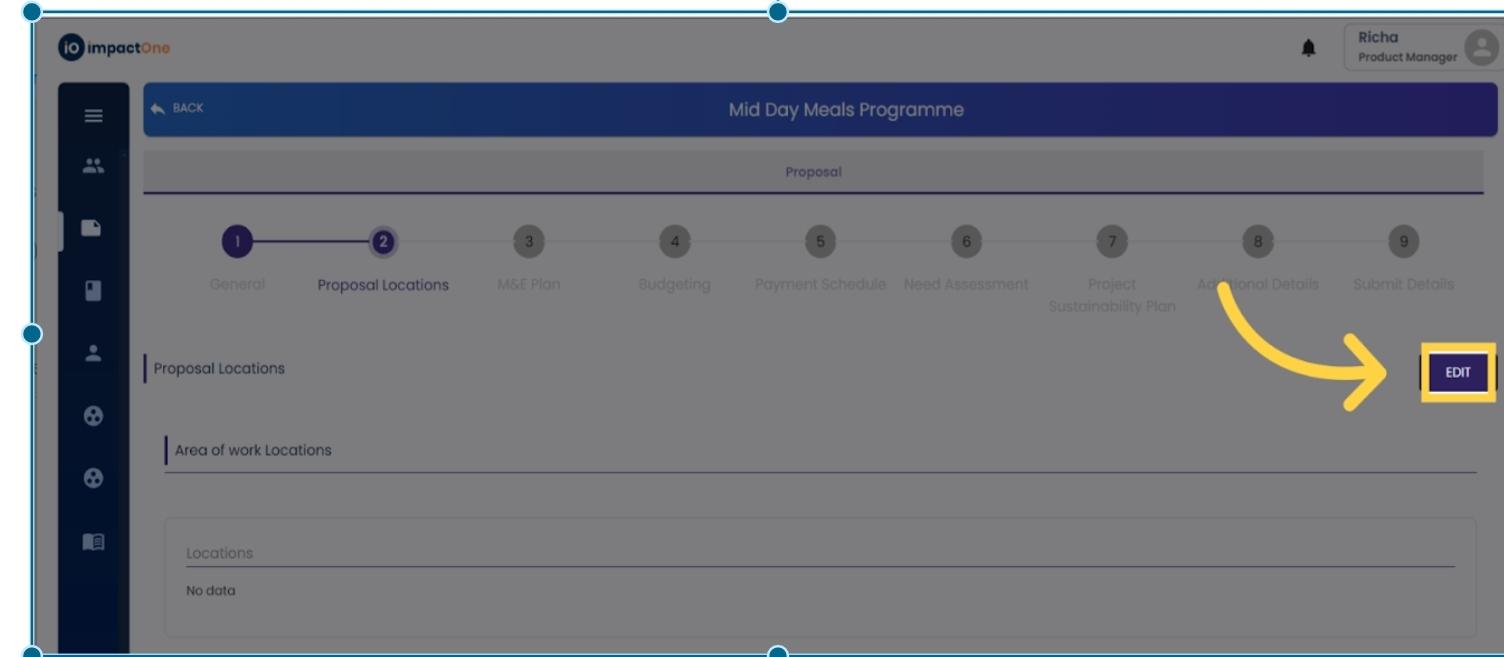
2. Access Edit Mode: Click on the "Edit" button located on the right side of the screen to initiate data entry.
3.Fill Block/Taluka: Begin by entering the Block/Taluka information into the respective fields.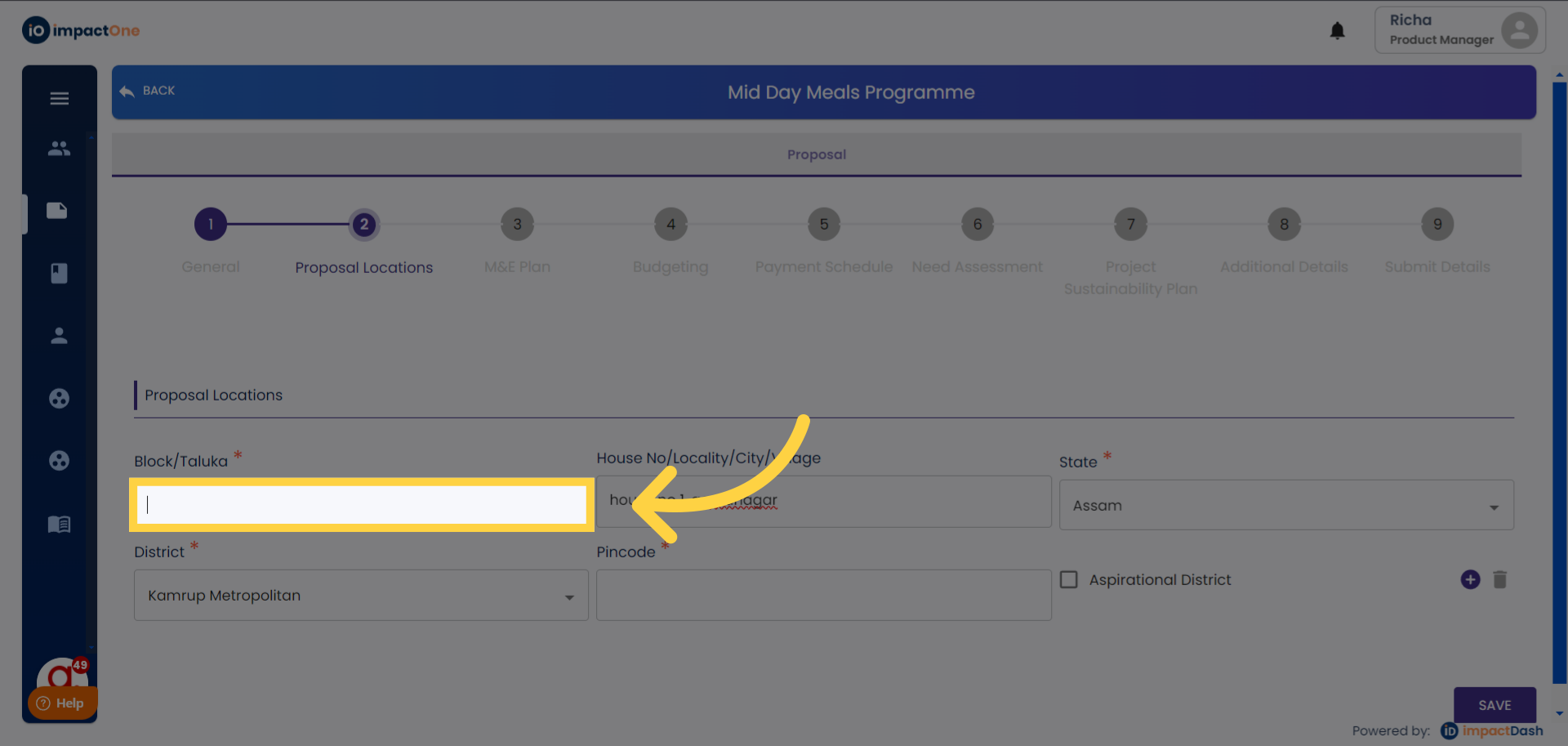
4.Enter Location Details: Input the House No/Locality/City/Village data into the appropriate fields.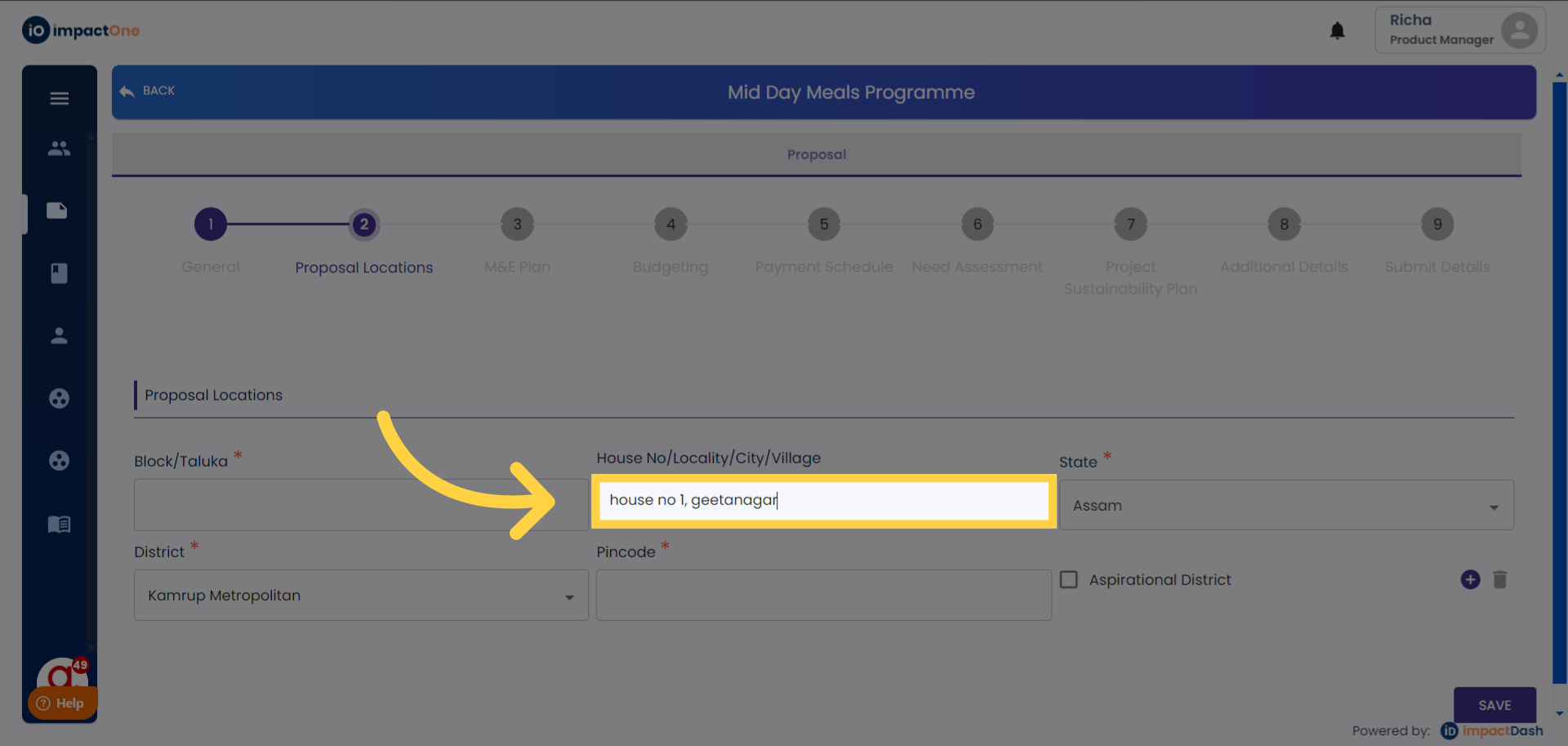
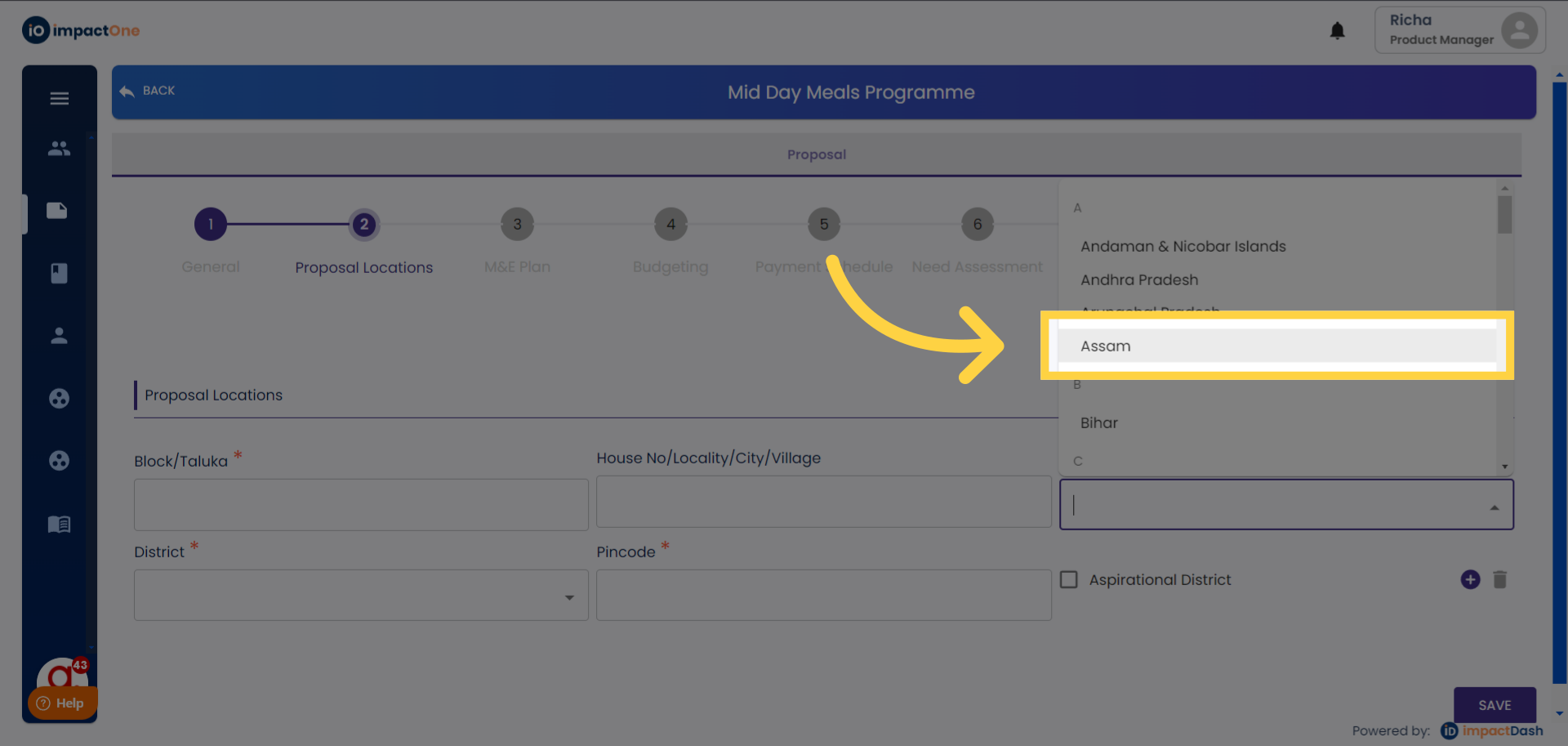
5.Select State and District: Proceed to the dropdown menu to select the state and then choose the relevant districts.
6.Add Pincode: Enter the pincode of the location entered.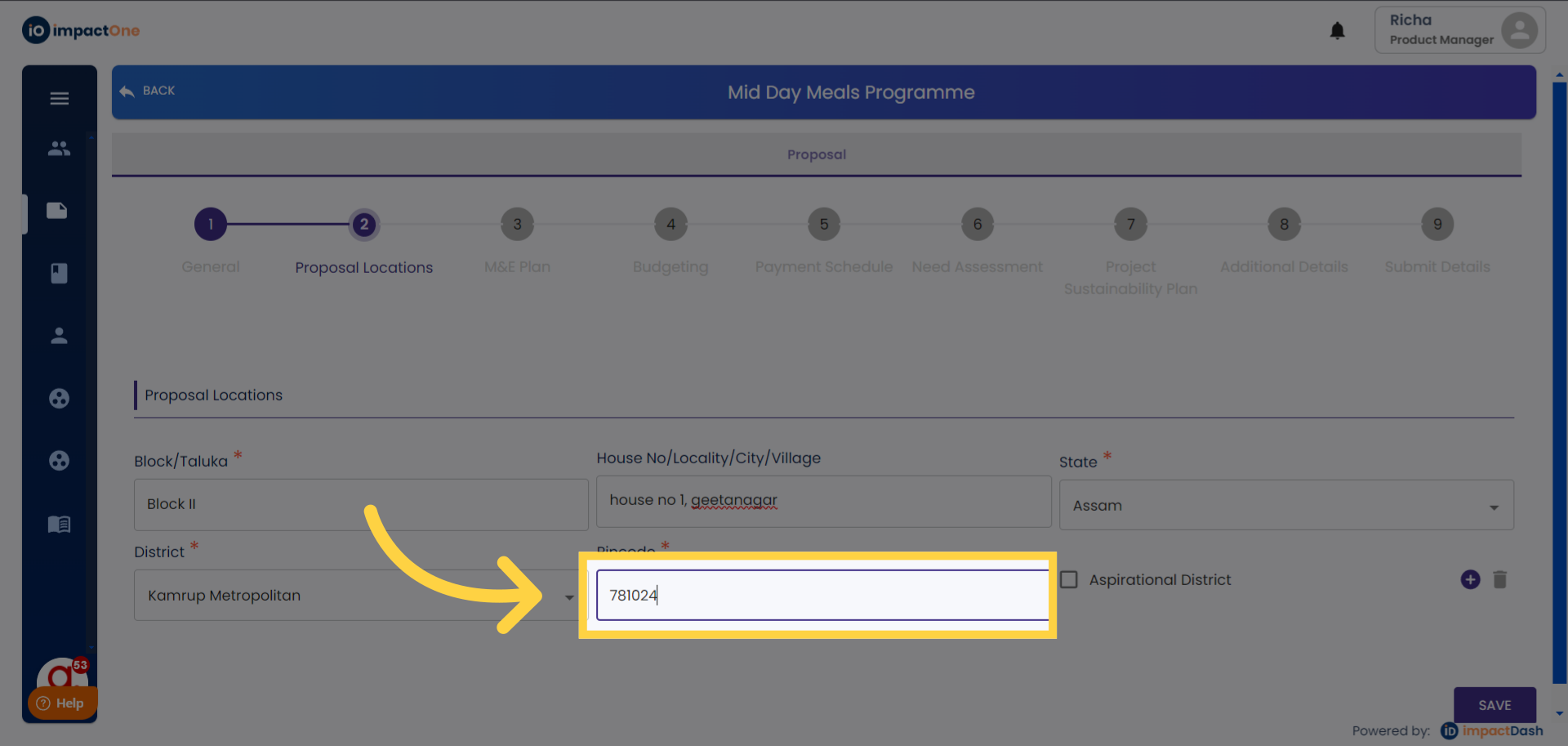
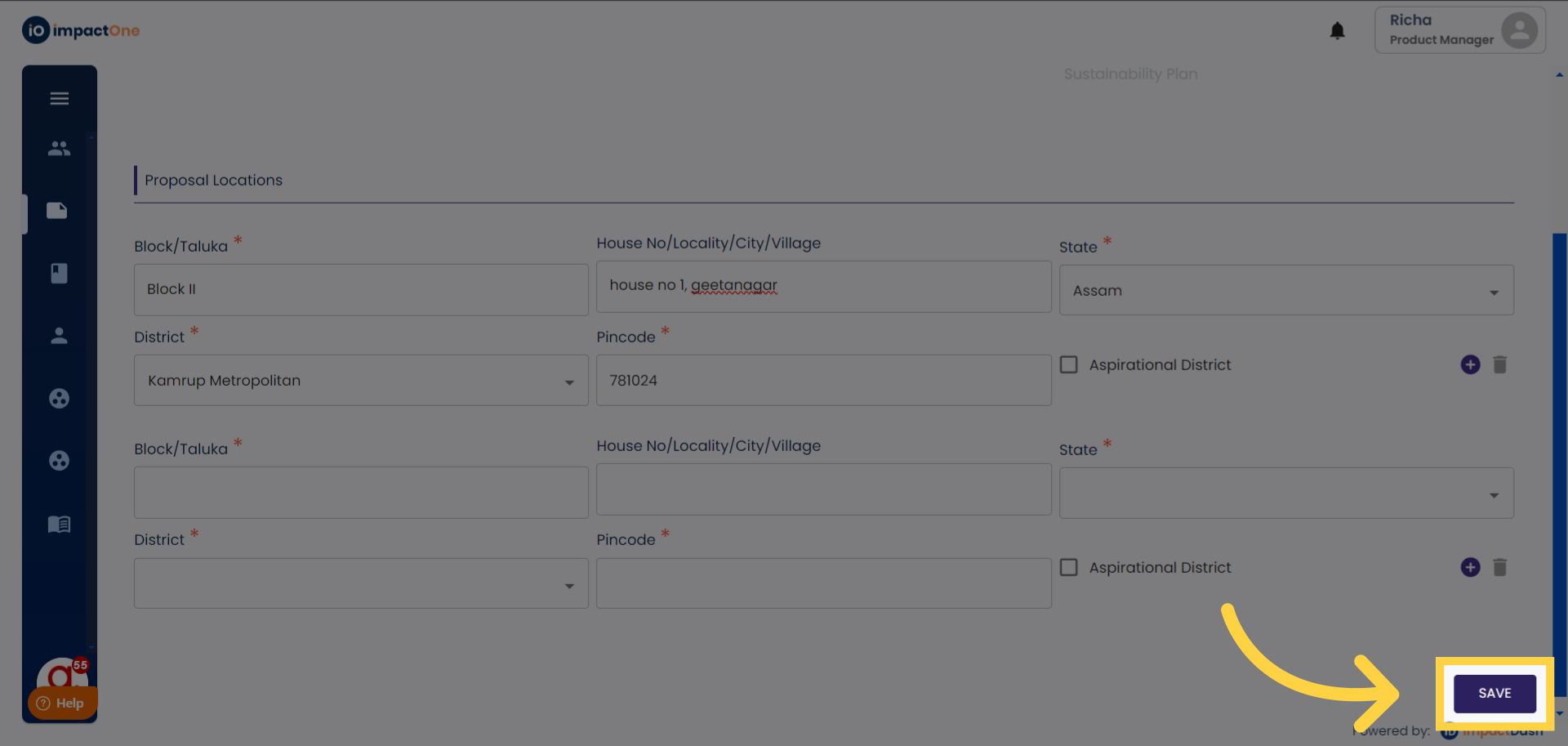
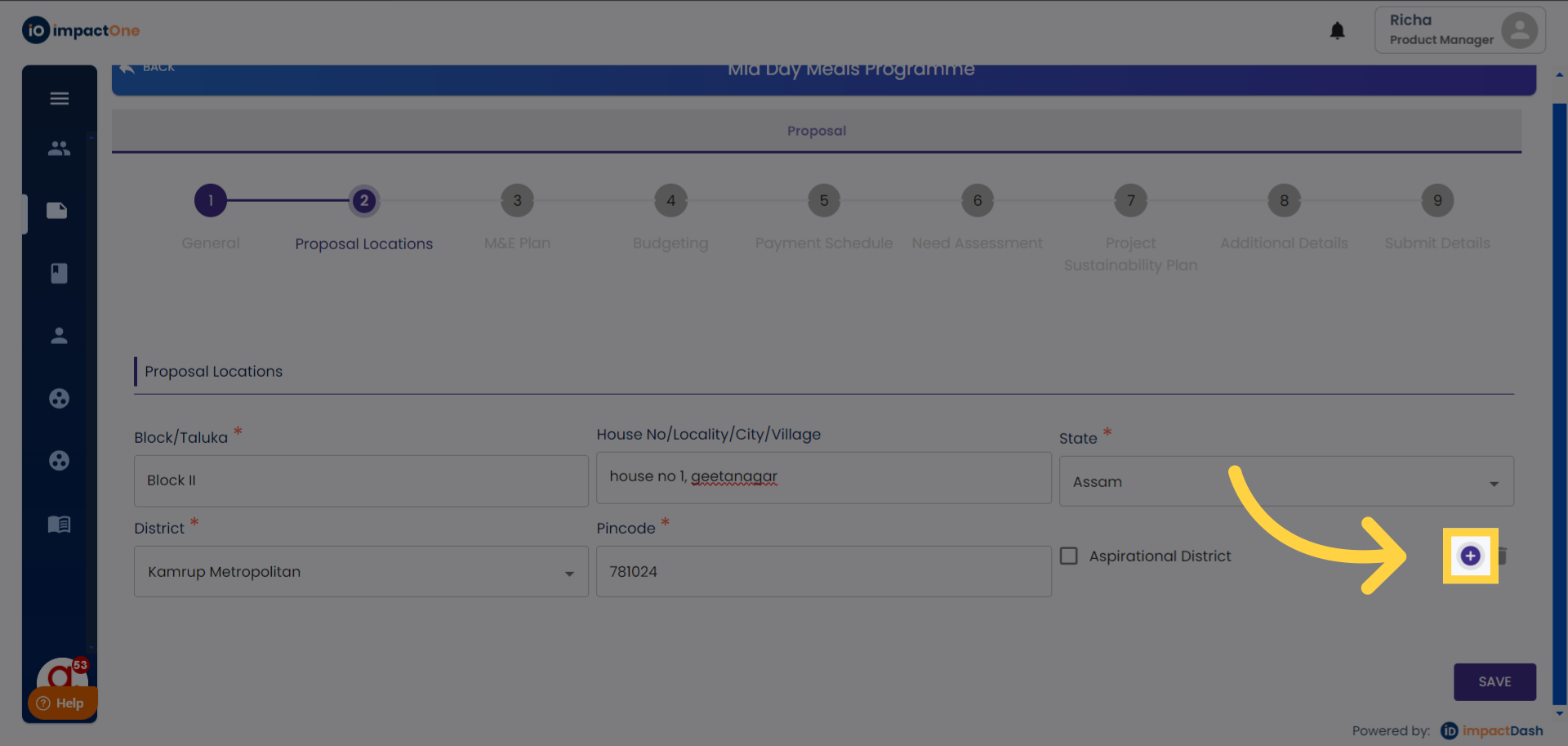
7.Include Additional Locations: To add multiple locations, click on the "+" button and input the necessary details.
8.Save Your Changes: Once all locations are entered, click on the "Save" button to confirm your entries and proceed to the next step in the process.