Organisation Details
User: Partner(maker)
Due diligence of an implementing partner involves thoroughly evaluating their capabilities and reliability to ensure they can effectively execute project tasks. It's essential for mitigating risks, ensuring accountability, and safeguarding project interests by verifying the partner's capacity, resources, and integrity. This process minimizes the likelihood of project delays or failures and maximizes the potential for success and desired outcomes.
1.Access Edit Mode: Click on the "Edit" button located on the right side of the screen to begin entering data.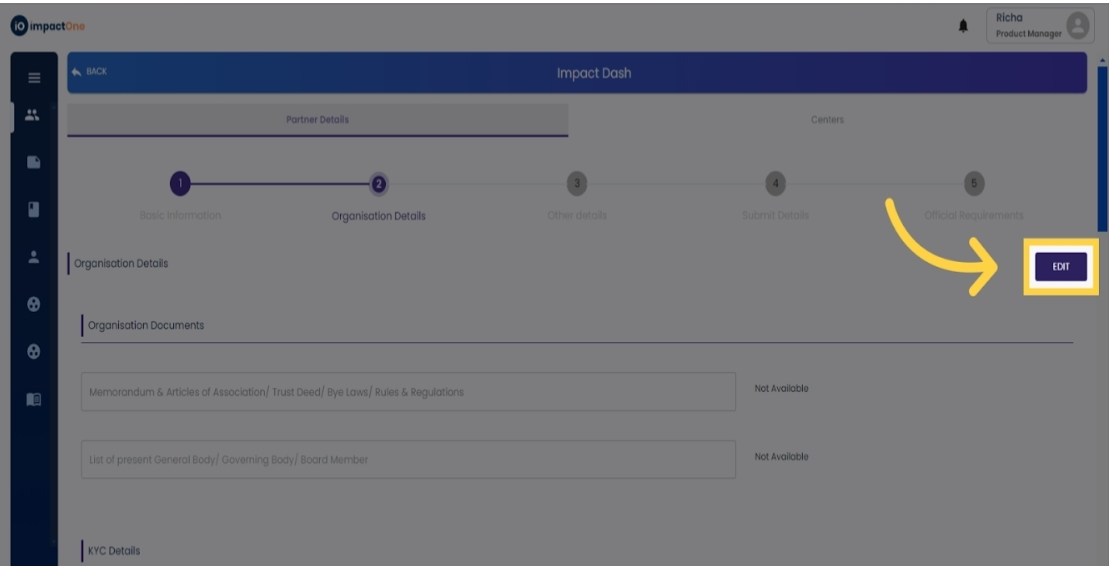
2.Upload Documents: Upload the necessary legal documents such as Memorandum & Articles of Association/ Trust Deed/ Bye Laws/ Rules & Regulations.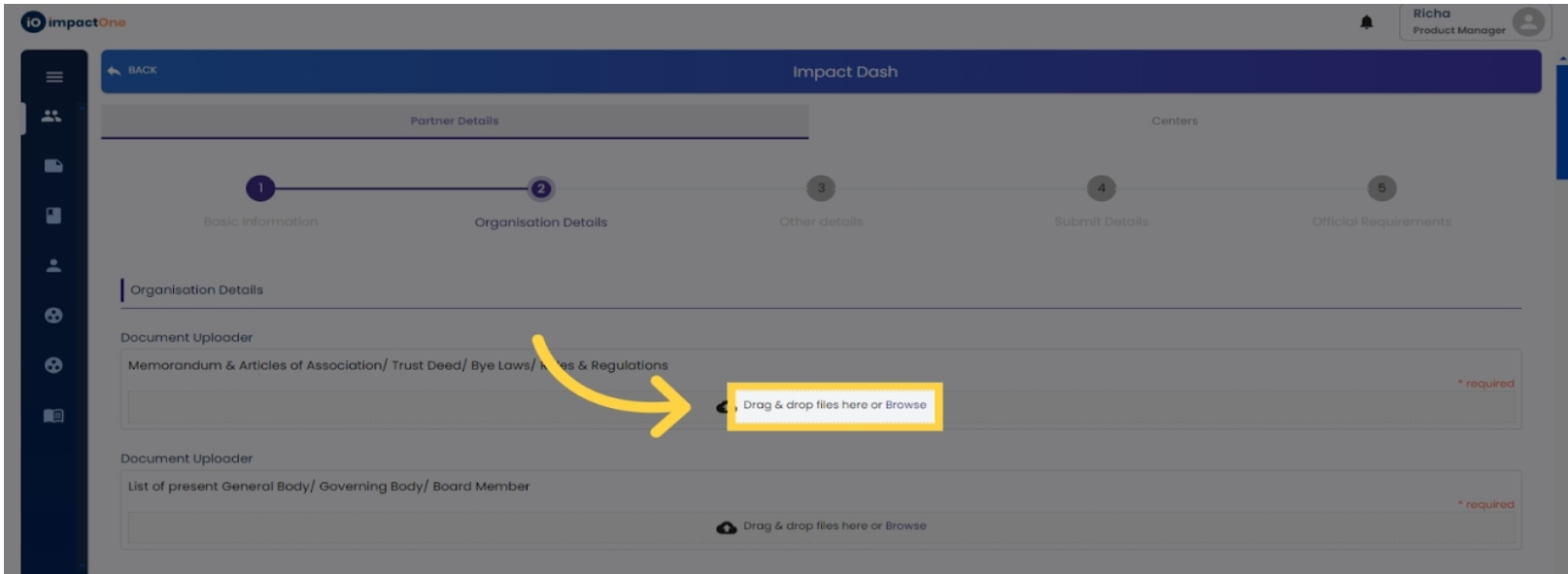
3.Upload List of Board Members: Similarly, upload the document listing the present General Body/ Governing Body/ Board Members.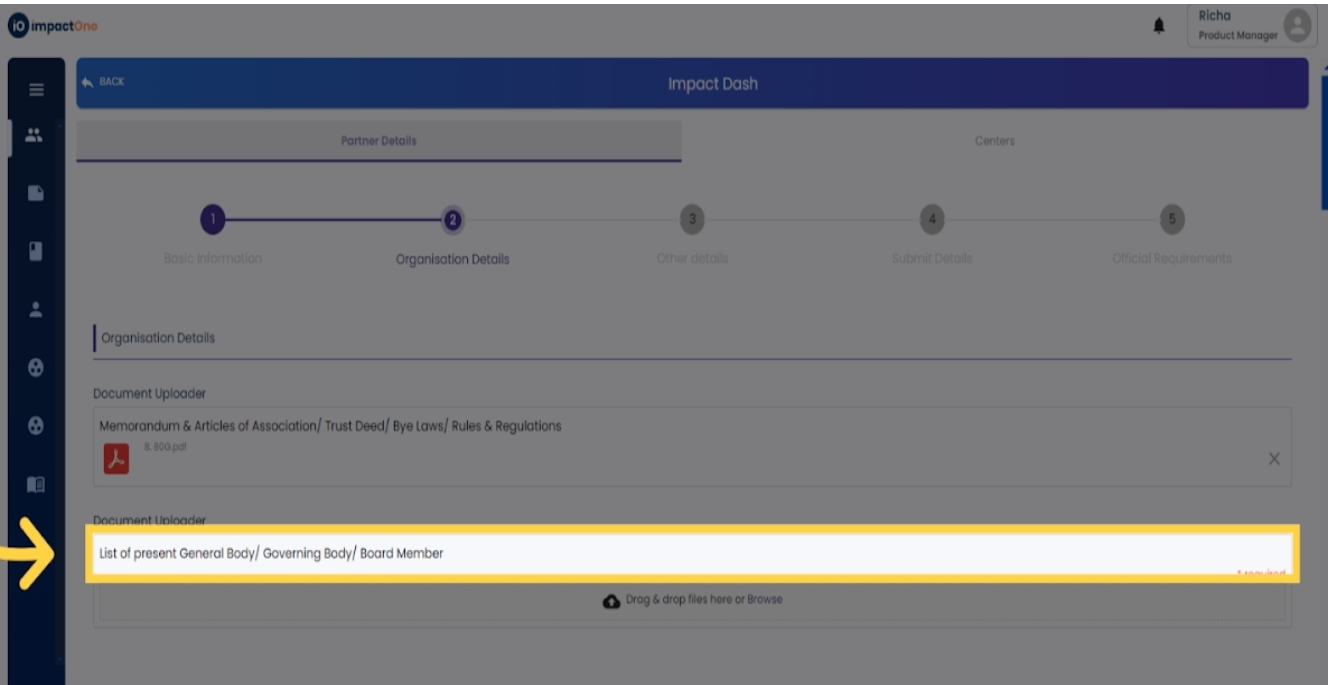
4.Enter KYC Details: Provide the bank details of the organisation and upload a scanned copy of a cancelled cheque.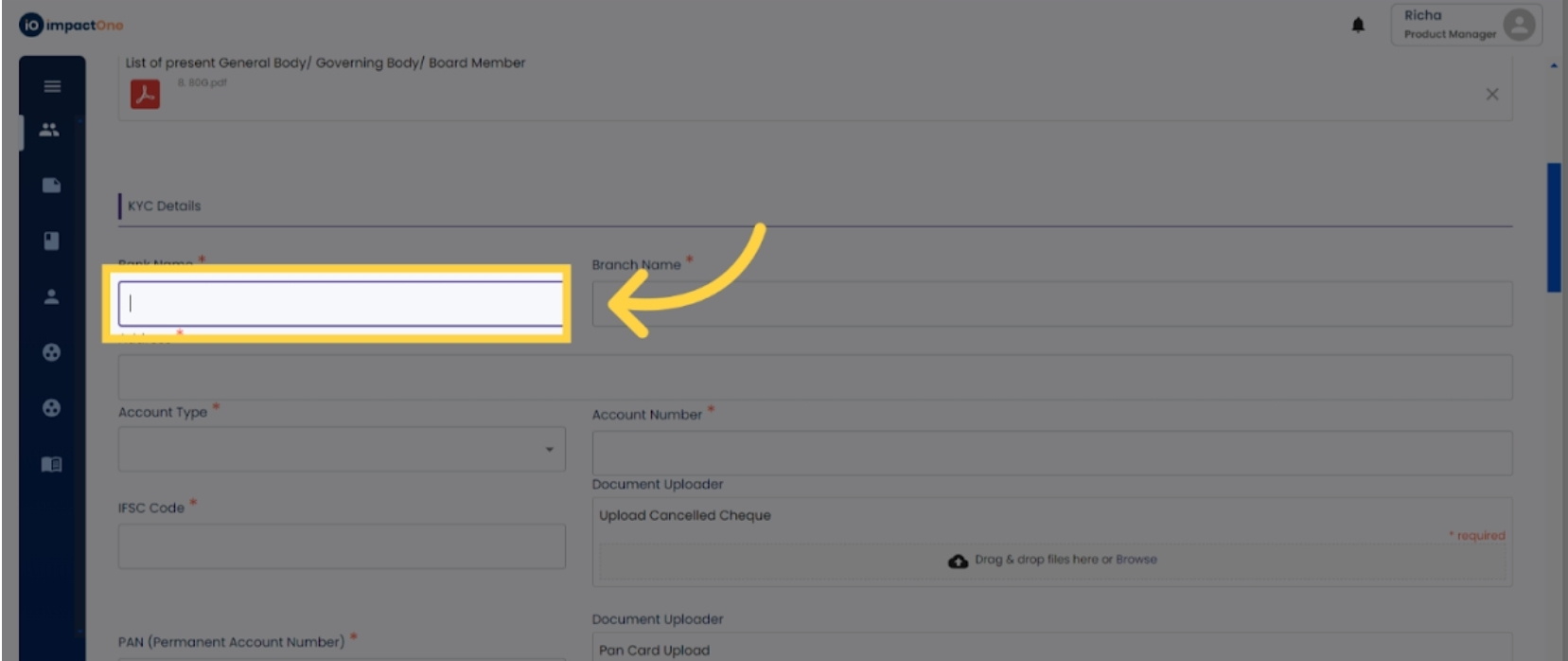
5. Enter PAN Number: Enter the PAN number of the organisation and upload the PAN card document.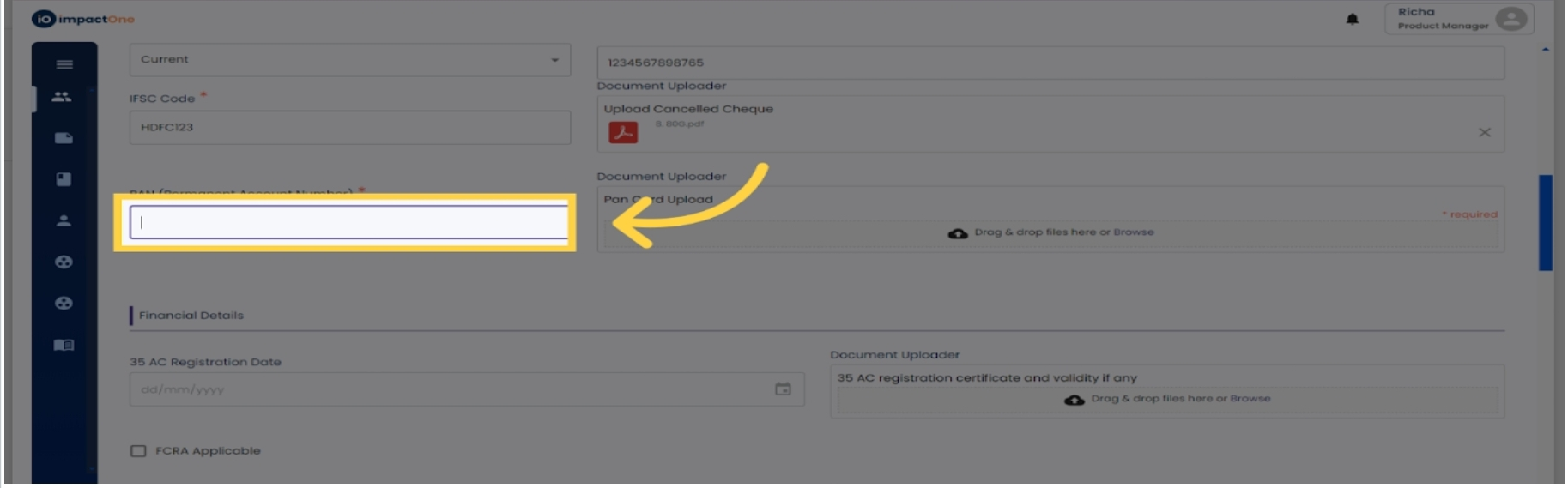
6.Enter Financial Details: Proceed to enter financial details applicable to your organisation. Start with a 35AC certificate, add the date and document for the same.
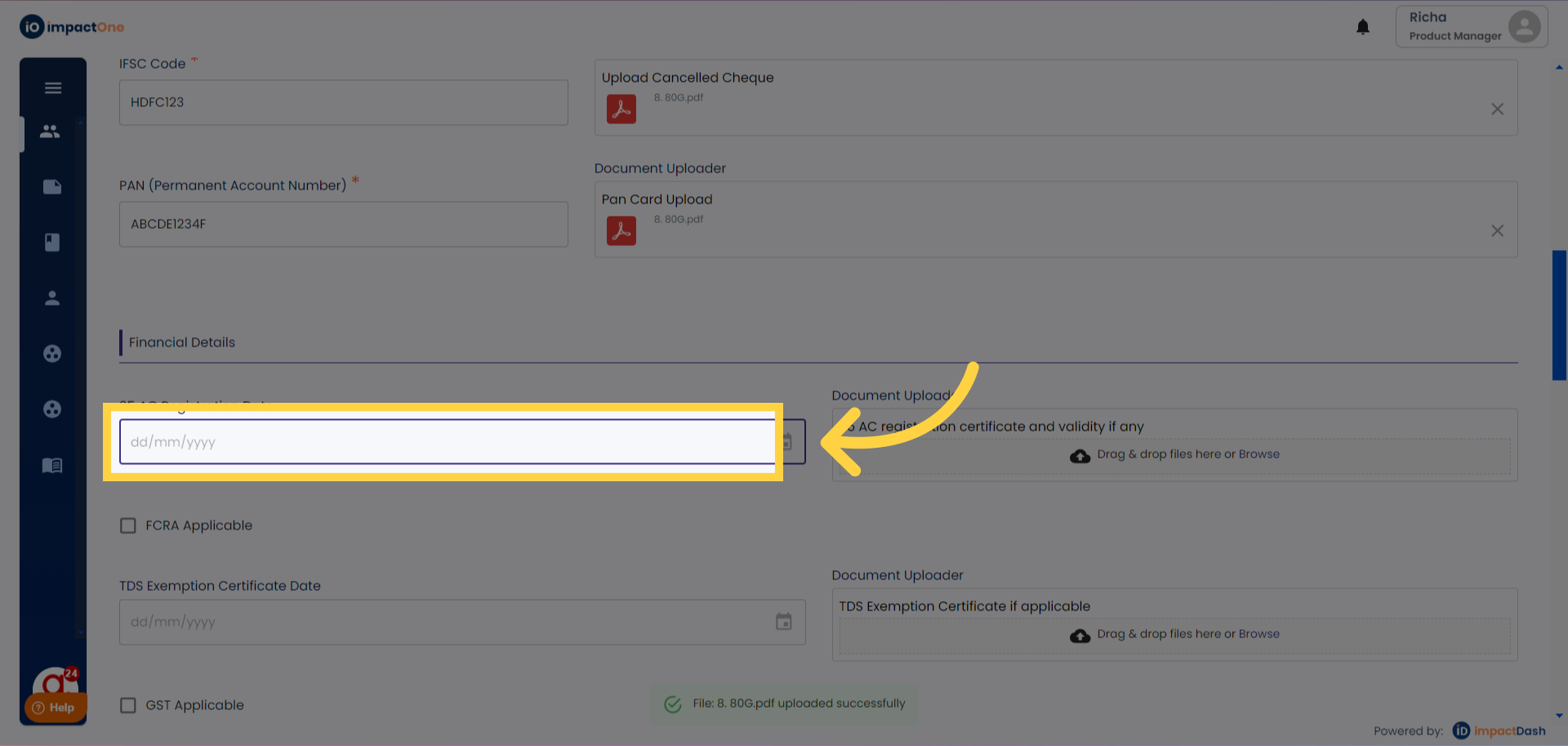
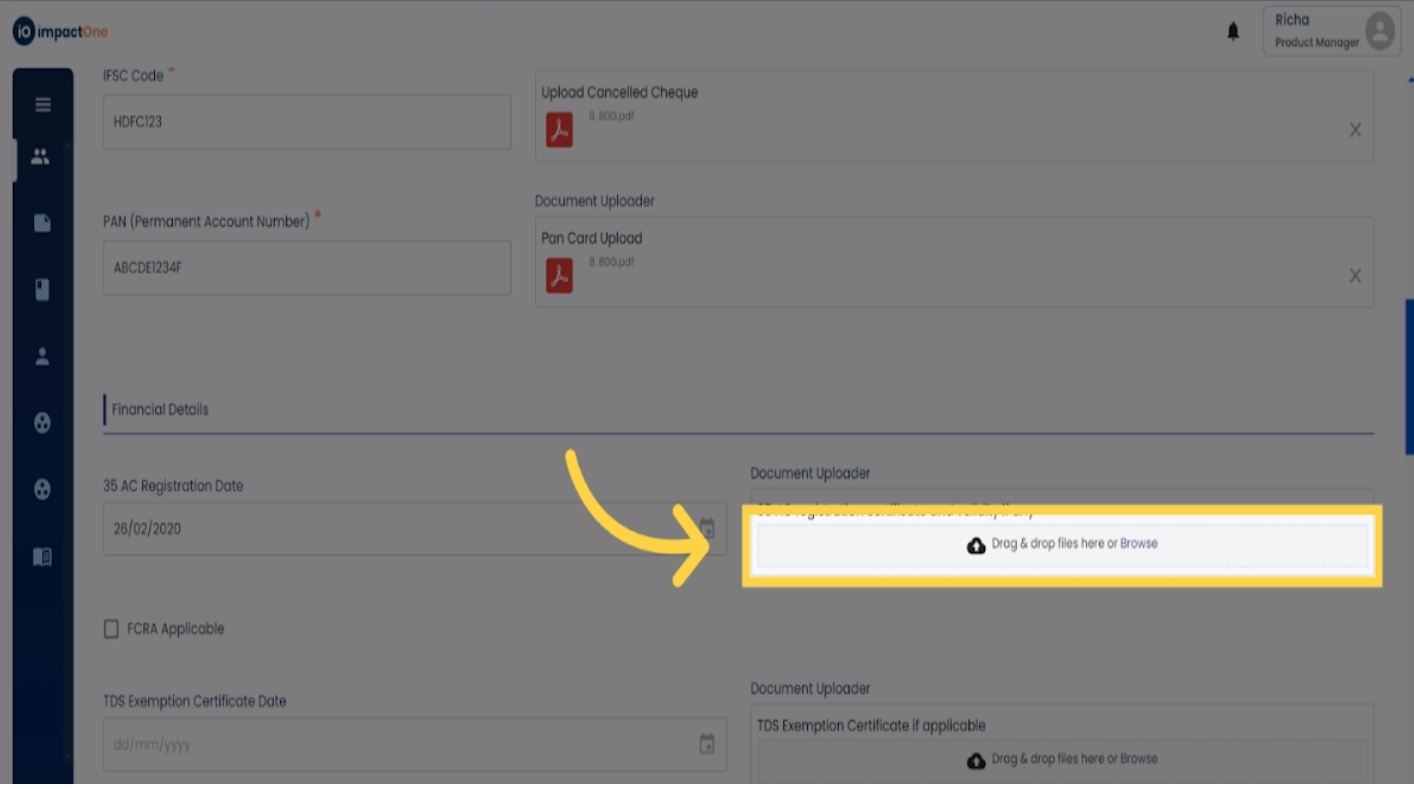
Similarly, add the other financial details applicable to your organisation in the same manner.
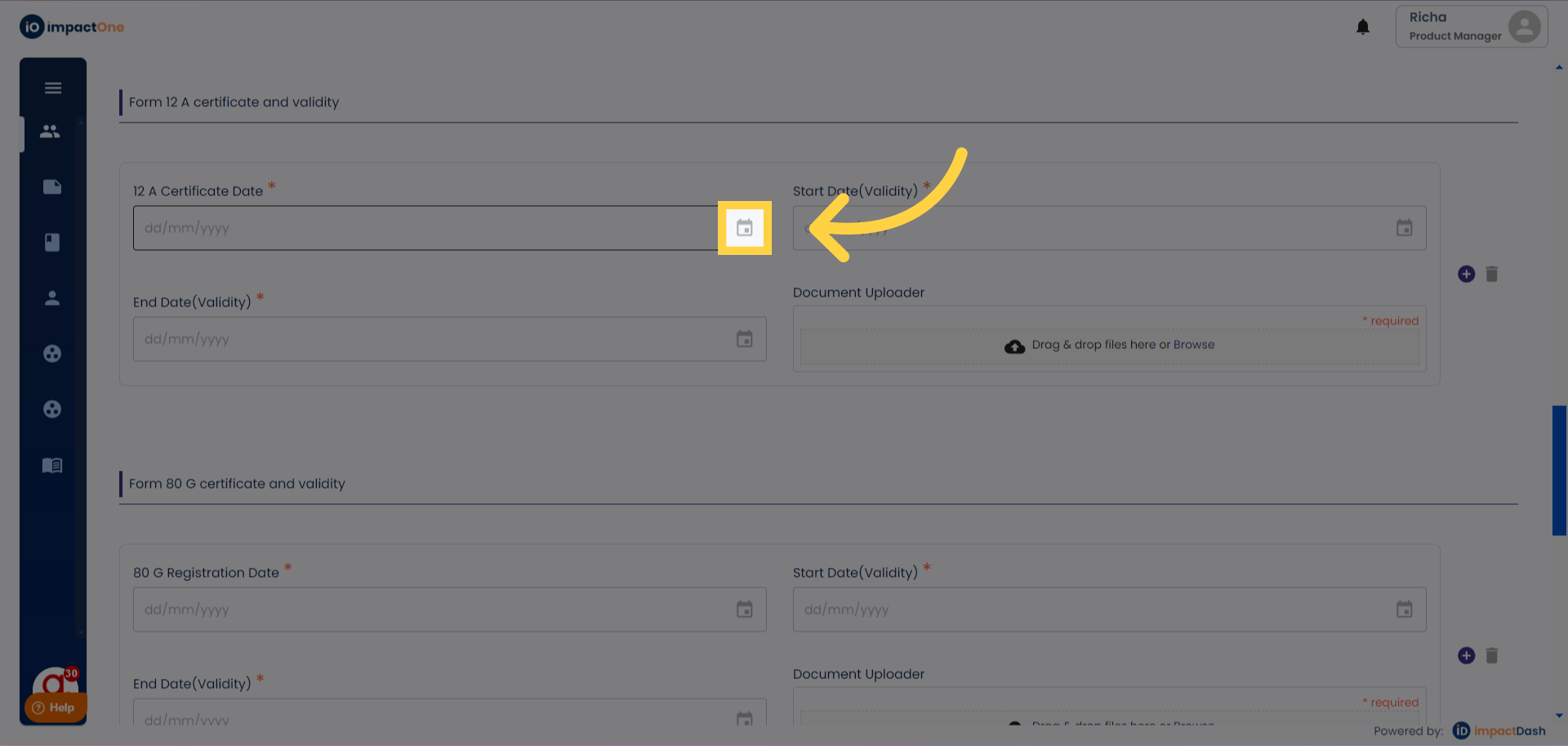
7.Upload 12A Certificate: Enter the 12A certificate registration date and the document .Then,enter the start date and enter date of the registration certificate for validity of the certificate.
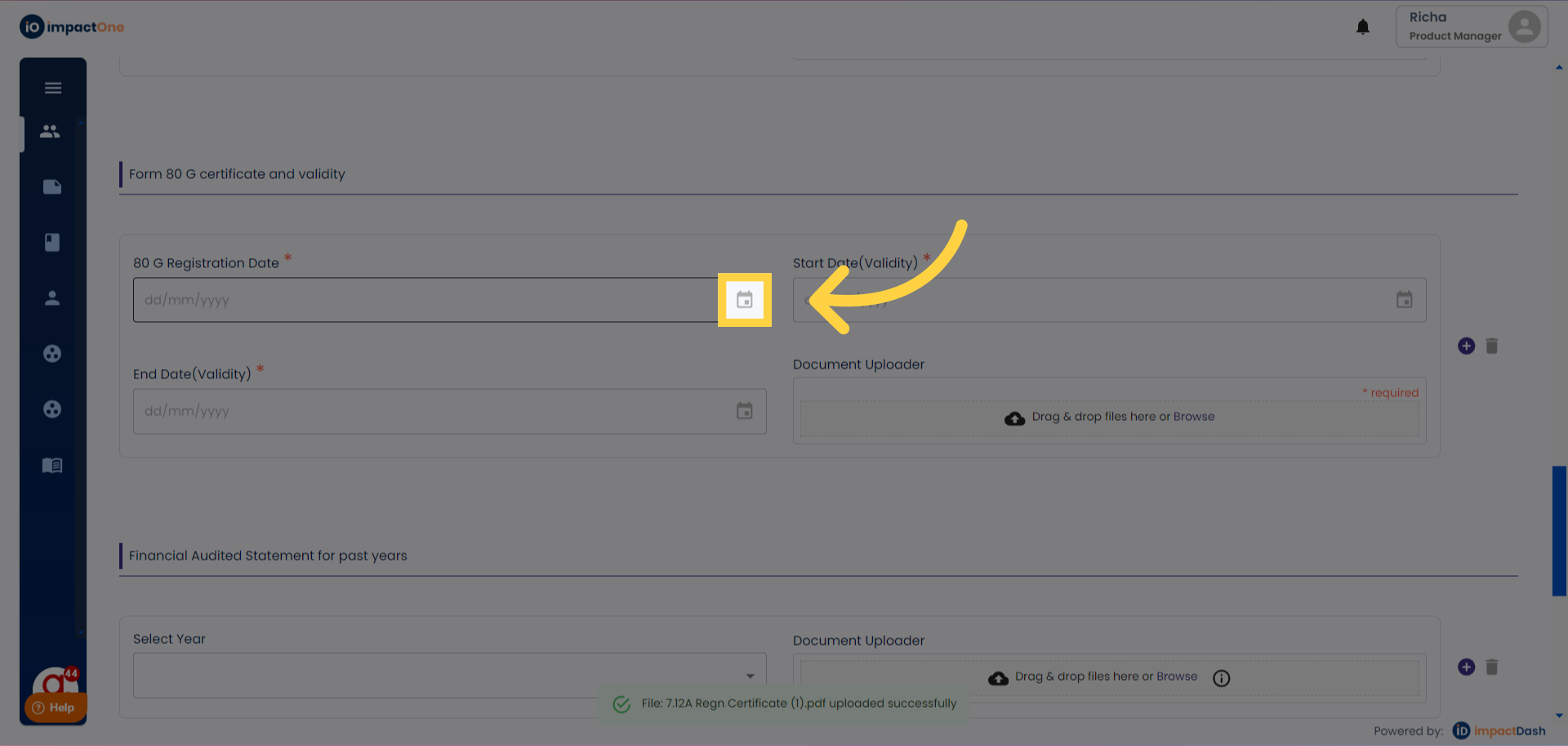
8.Upload 80G Certificate: Similarly, add the 80G certificate document and registration date. And similarly enter the start date and end date for validity of the certificate.
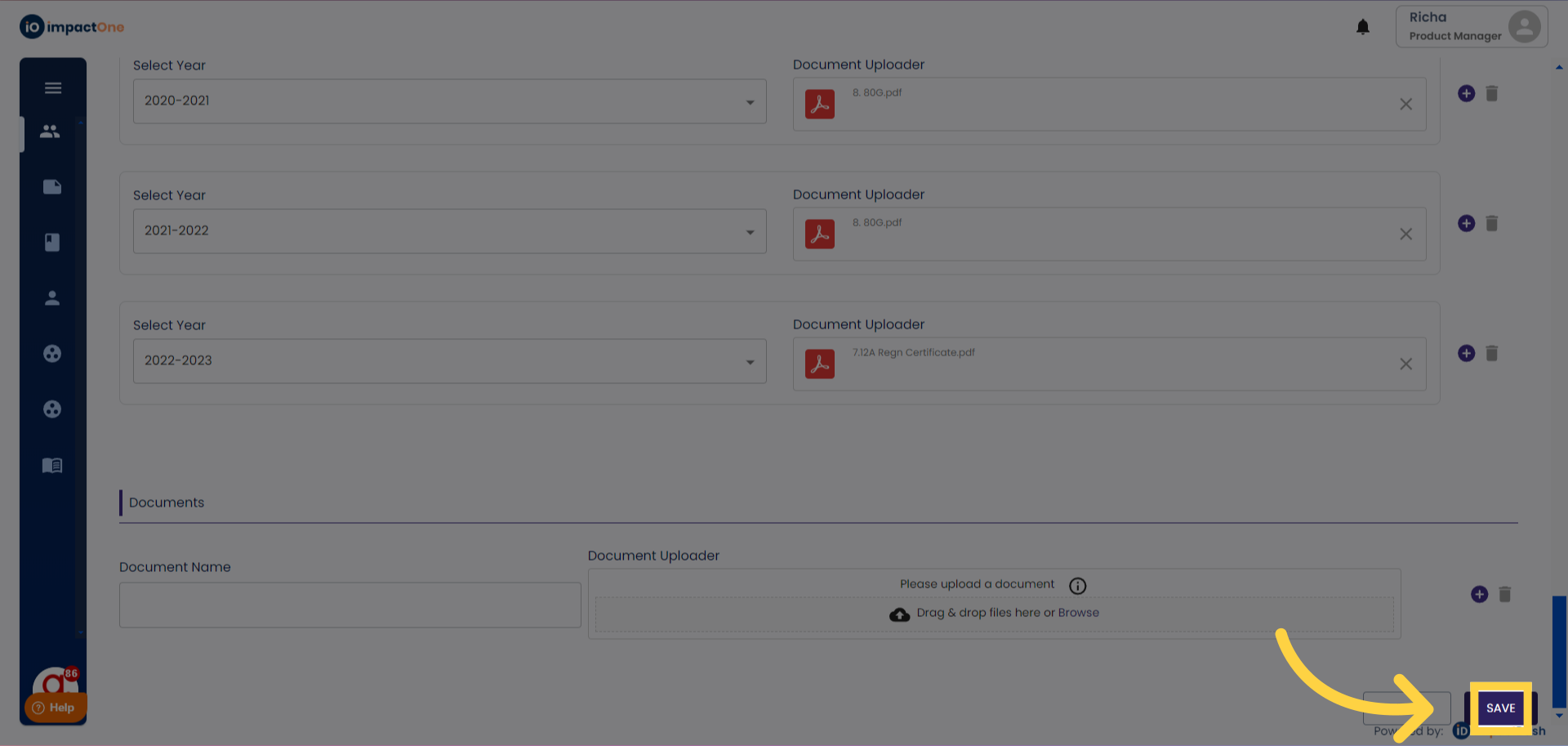
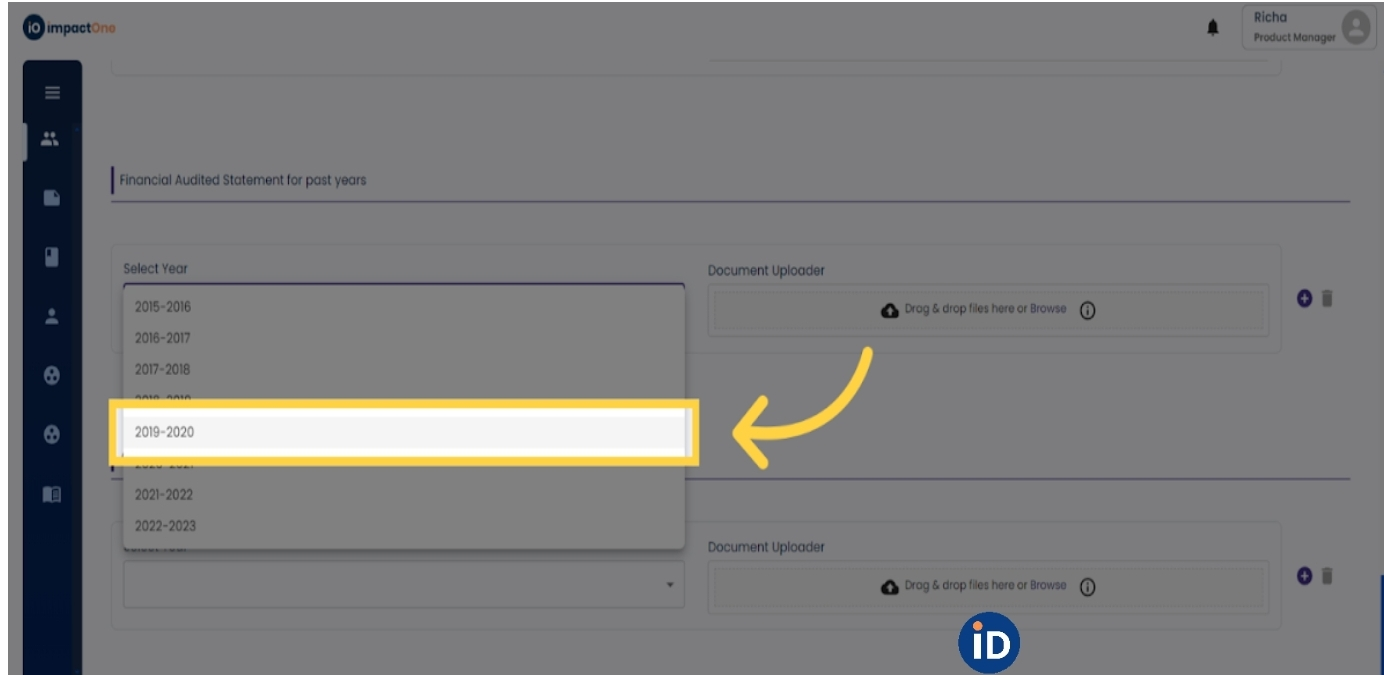
9.Upload Audited Financial Statements: Add the Financial Audited Statements for the past three years. First select the financial year from the drop down, then upload the audited financial statement document. Similarly add for the last three financial years by clicking on the '+' button.
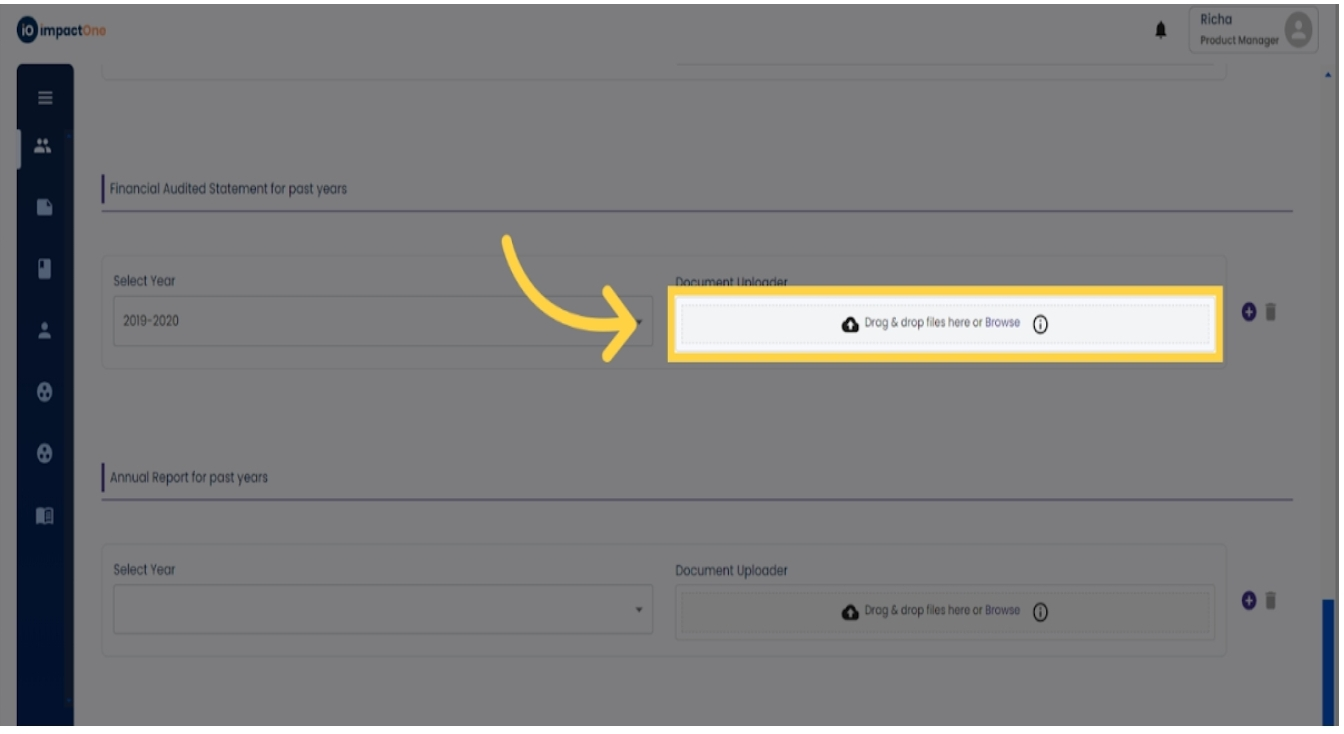
10.Upload Annual Reports: Add the Annual Reports for the past three years in the similar manner.Add the Annual Reports for the past three years. First select the financial year from the drop down, then upload the document. Similarly add for the last three financial years by clicking on the '+' button.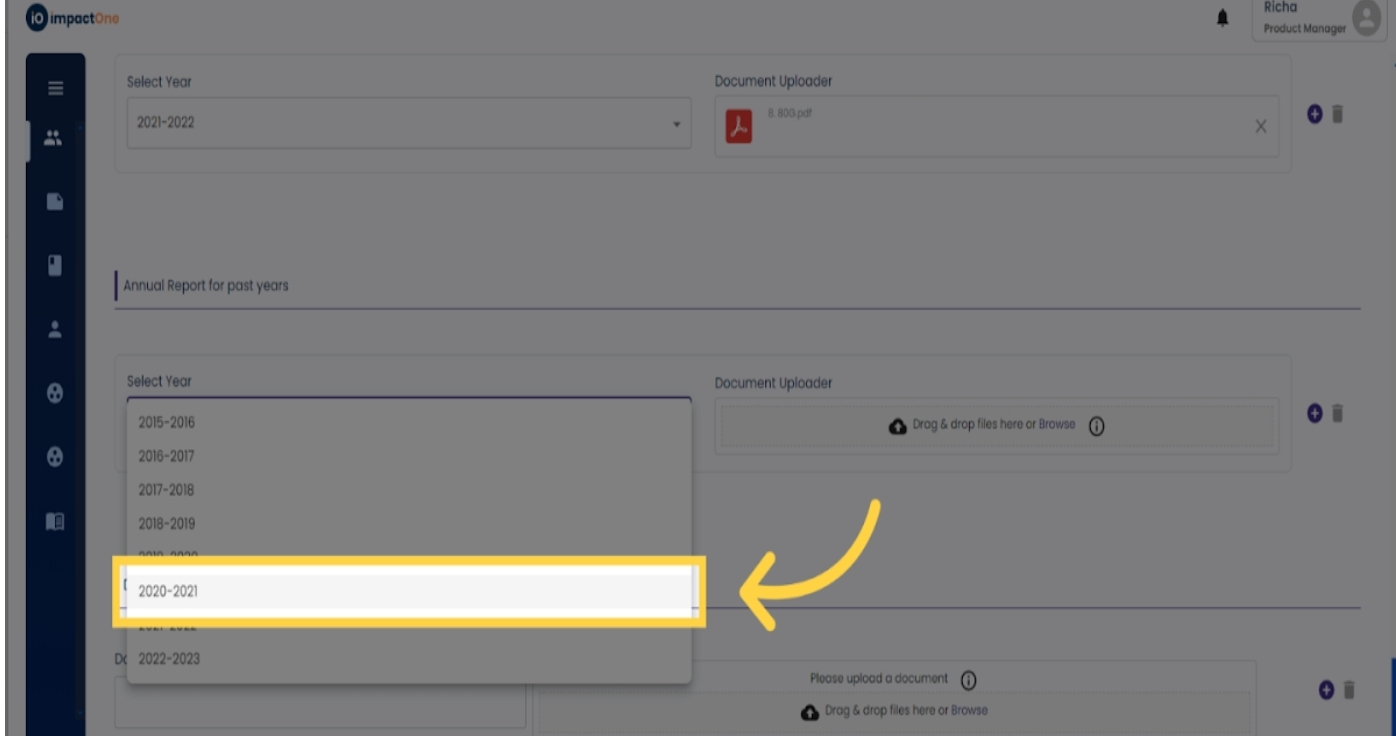
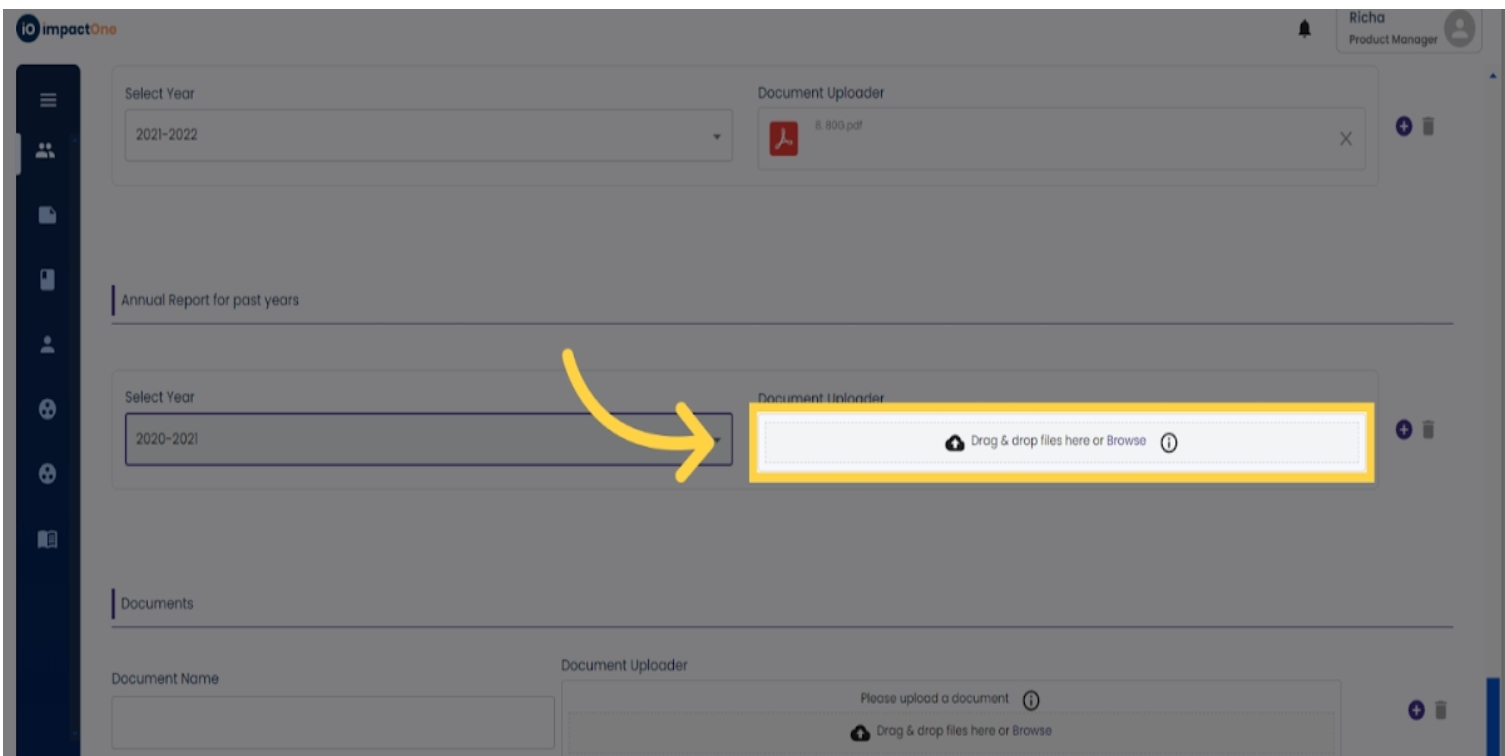
11. Documents: Here you can upload any document relevant to the implementer. You can name the document and keep adding multiple by clicking on the '+' button.
12.Save and Proceed: Click on the "Save" button to save your entries and proceed to the next step in the onboarding process.